Looking for Flocus? There are a few of us
A handful of independent apps share the name “Flocus” — a study timer, a couple of planners, a pomodoro app. None of us is the “official” one; we’re just different products. Here’s an honest rundown so you can find the one you meant.
The focus app with a plan built in
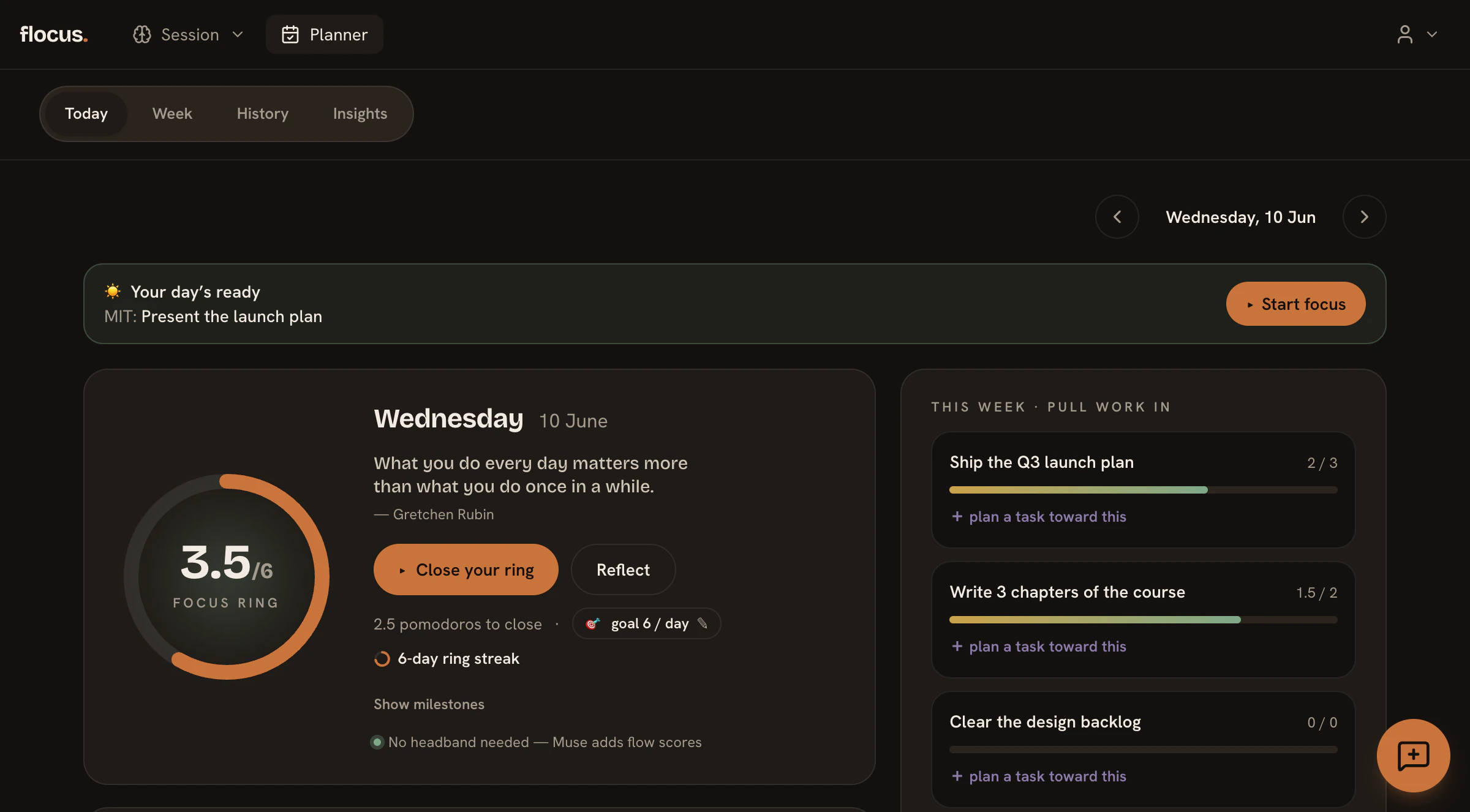
You’re on the Flocus focus app and daily planner. Most focus apps hand you a timer. This one gives you a plan — then runs the timer on it, so the time you put in always lands somewhere.
A real daily plan
Each morning you pick your most-important task and a short list — not an endless backlog. The plan is the point; the timer just runs on it.
Pomodoro focus blocks
Run focus blocks against the task you chose, right in the browser. No download and no hardware required to start.
A daily Focus Ring
Every finished block fills a ring you set that morning. Close it and the day counts; close it again tomorrow and a streak begins.
Optional Muse EEG flow tracking
Wear an optional Muse headband during a block and Flocus reads your flow state from your actual brainwaves — the one thing none of the others do.
Free to start · no credit card required
Looking for a different Flocus?
A few other apps share the name — all good tools in their own right, just not this one. If one of these is what you were after, you’re a click away.
Flocus
An aesthetic productivity dashboard in the browser — a customizable pomodoro timer with themes, ambient sounds, to-dos, and focus stats. Popular with students for a calming study space.
Flocus — Flow & Focus
flocus.app
An aesthetic pomodoro and focus timer in the same study-timer family.
Flocus
flocus-app.com
A “fast & fun” week-planning task manager that celebrates completed tasks, available on Mac, iPhone, and Android.
Flocus — Flow Pomodoro Timer
Google Play (by Winkle Studios)
An Android pomodoro / flow timer app.
Sorting out the Flocuses
Which Flocus is the official website?
There is no single “official” Flocus — several independent teams built different apps that happen to share the name, and each runs its own site. This one lives at flocus.org and is a focus planner with pomodoro blocks and optional Muse EEG flow tracking. If you were looking for the aesthetic study-timer dashboard, that is flocus.com, a separate product.
Is Flocus free?
Most of the apps that share the name have a free tier — so the honest answer depends on which Flocus you mean; check each one's site for its own pricing. For this one, flocus.org: yes, free to start, no credit card. The free tier covers a full daily plan, your 6 focus blocks a day (up to 30 minutes each), the daily Focus Ring, and 1 Muse headband session a day. Pro lifts every cap and adds a 14-day free trial — see the pricing page for the details.
Where do I log in to the Flocus dashboard?
If you use this Flocus, sign in at flocus.org and your daily plan, focus blocks, and Focus Ring are your dashboard. If you created an account on a different Flocus app, you will need to sign in on that product’s own site — accounts are not shared between the separate apps.
Is there a Flocus desktop app or download for PC?
flocus.org runs in any modern browser with nothing to install, and also offers an optional desktop app for Mac and Windows. The other apps that share the name have their own platforms — for example, one is an Android app on Google Play — so where you download depends on which Flocus you mean.
Which Flocus works with a Muse headband?
Only this one, at flocus.org. It pairs with Muse EEG headbands to track your flow state in real time while you work. The other apps that share the name are software-only timers and planners.
Free and Pro plan details are on the pricing page.
Plan a day, run a block, close the ring
Curious what makes it different? See the features.