The focus timer that knows what it's for
Most timers fail for a quiet reason: they count minutes toward nothing in particular. Flocus starts every block from your most-important task — a focus timer with a plan built in, so the time you put in always lands somewhere.
Free to start · no credit card required
How a focus block works
One pomodoro, start to finish. The shape never changes — only the task does.
Pick the task
A focus block starts with a decision, not a countdown. Choose the task — ideally the one that makes today a success — and the timer knows what it’s for.
Work for 25 minutes
One task, one block, distractions parked. Twenty-five minutes is the default; you can set your own work length in settings if your rhythm runs longer or shorter.
Take a real break
When the block ends, the timer tells you — and a short break begins. Breaks are part of the method, not a lapse in it, and their length is yours to set too.
Watch the ring fill
Every finished block credits your daily Focus Ring. The timer isn’t counting time for its own sake — it’s closing a loop you opened this morning.
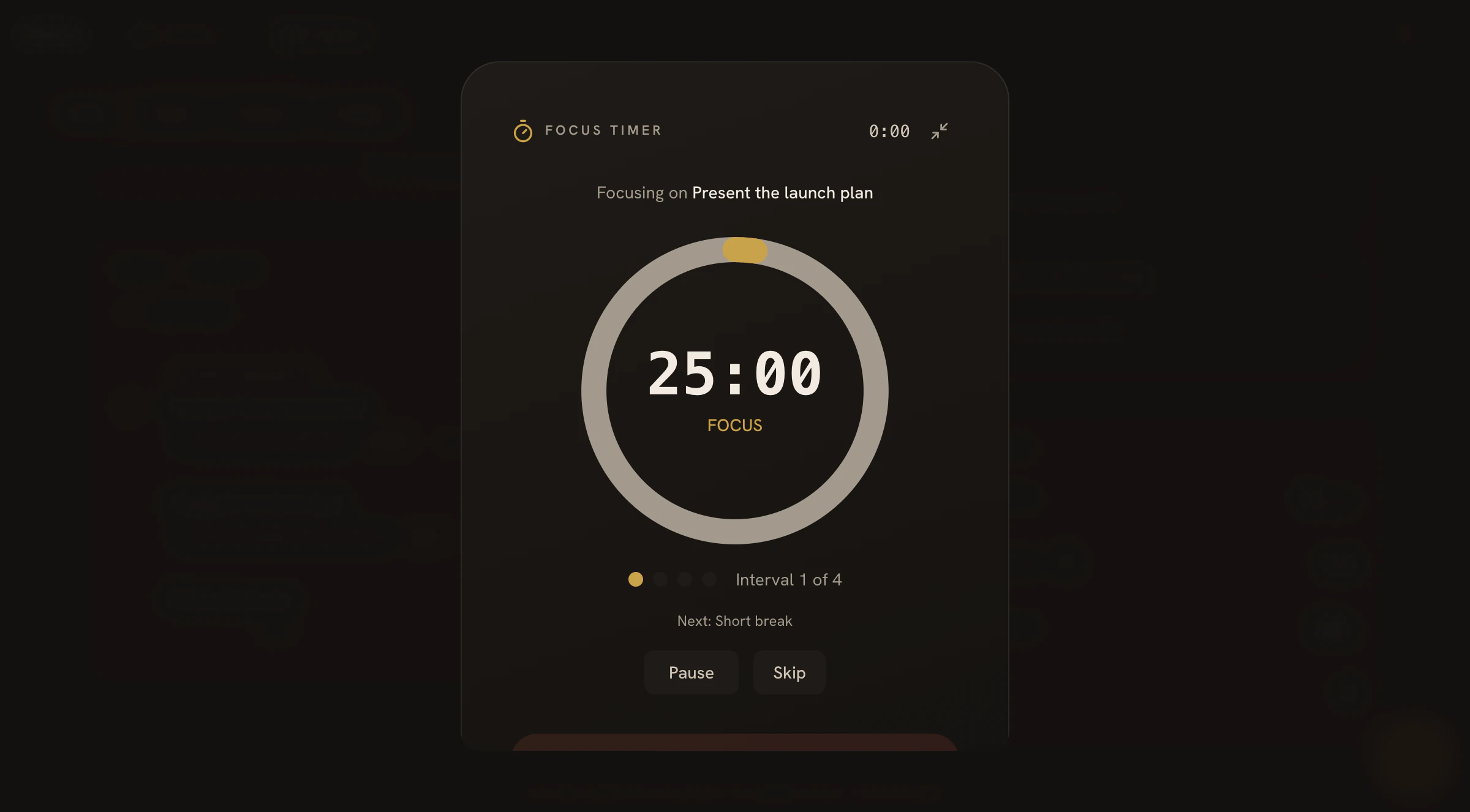
One task. One timer. Nothing else on screen.
Focus mode shows the task you chose, the time remaining, and the ring it's filling — and quietly puts everything else away.
Built to disappear while you work
A widget that stays out of the way
Start a block and minimize it. The timer shrinks to a small widget so you can keep your notes, code, or reading in front of you — present without presiding.
Works on your phone
The timer runs in any mobile browser. Plan at your desk, run a block from the library or the kitchen table, and add Flocus to your home screen for an app-like feel.
Zero hardware, zero downloads
Nothing to install, nothing to wear, nothing to charge. A browser is the whole requirement — the timer, the plan, and the ring all live in one tab.
Every block closes a ring you chose
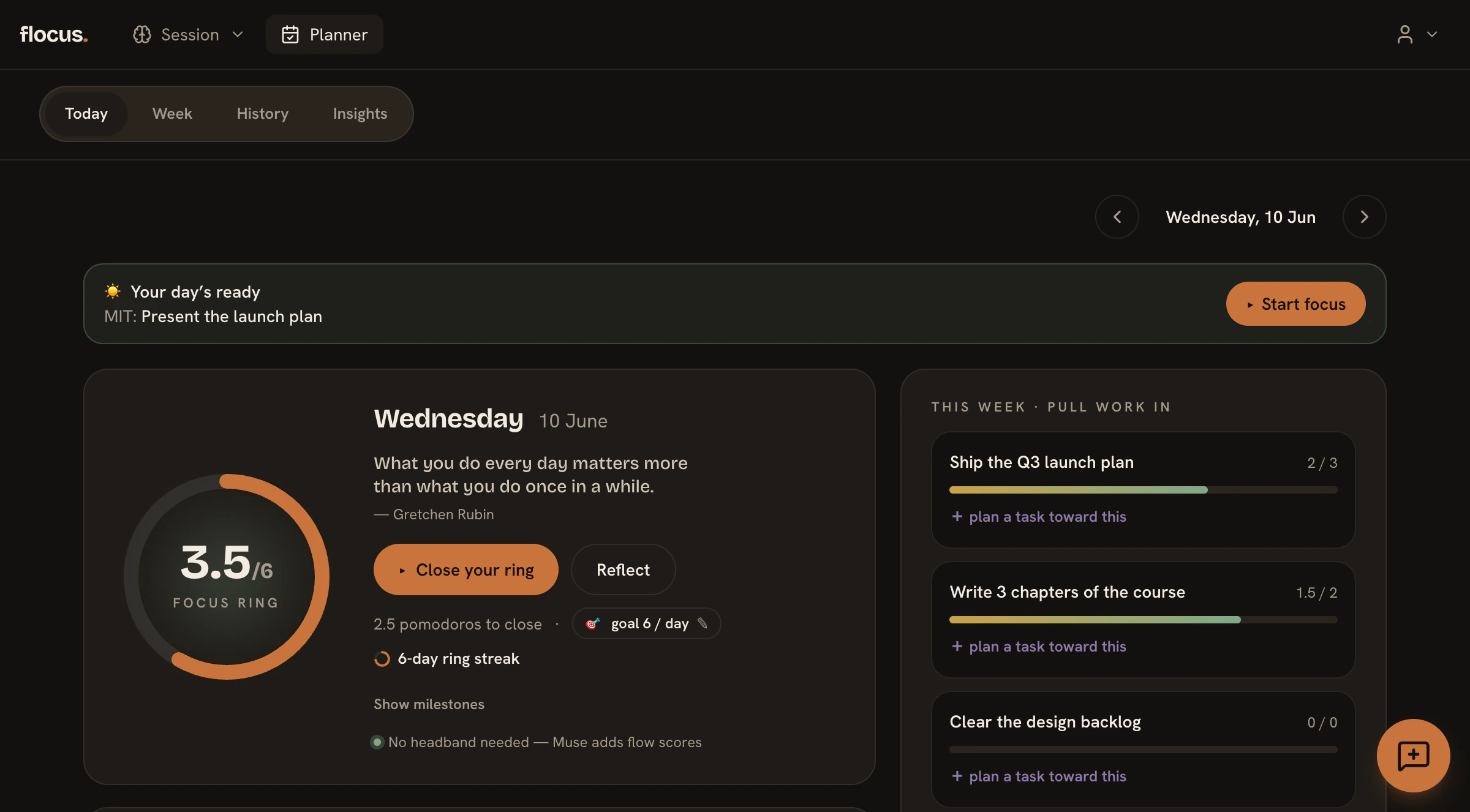
This is where the timer stops being a stopwatch. Each morning you set a daily goal — a number of pomodoros or focused minutes — and every finished block fills your Focus Ring toward it. Close the ring and the day counts; close it again tomorrow and a streak begins.
The ring is fed by the plan the timer runs on: one most-important task and a deliberately short list, made fresh each morning in the daily planner. The timer does the work; the planner makes sure it's the right work.
Want to go deeper? Wear an optional Muse EEG headband during a block and Flocus tracks your flow state from your actual brainwaves — see flow tracking.
Focus timer questions, answered
Do I need an account to use the focus timer?
Yes — a free account, with no credit card required. That’s what makes this more than a countdown: your blocks attach to real tasks, credit your daily Focus Ring, build streaks, and sync across devices. Signing up takes about a minute.
Does it work without a Muse headband?
Completely. The focus timer, the daily plan, the Focus Ring, and streaks all work with nothing but a browser. A Muse EEG headband is an optional depth layer — wear one during a block and Flocus tracks your flow state from your actual brainwaves — but the method never requires it.
Can I change the block length?
Yes. Twenty-five minutes is the classic pomodoro default, but you can set your own work and break lengths in settings. On the free plan, a single focus block can run up to 30 minutes.
What happens when the timer ends?
Flocus lets you know the block is done and starts your break. The finished block credits your daily Focus Ring and counts toward the task’s pomodoro estimate — so when the break ends, you can roll straight into the next block or call the task complete.
Is the focus timer free?
Yes. The free plan includes up to 6 focus blocks a day of up to 30 minutes each, plus the daily plan, the Focus Ring, and streaks — free forever, no credit card. Pro removes the limits and adds insights, recaps, and unlimited blocks; full details are on the pricing page.
Free and Pro plan details are on the pricing page.
Give the timer something to work for
The timer is one piece of the method — see the rest on the features page.