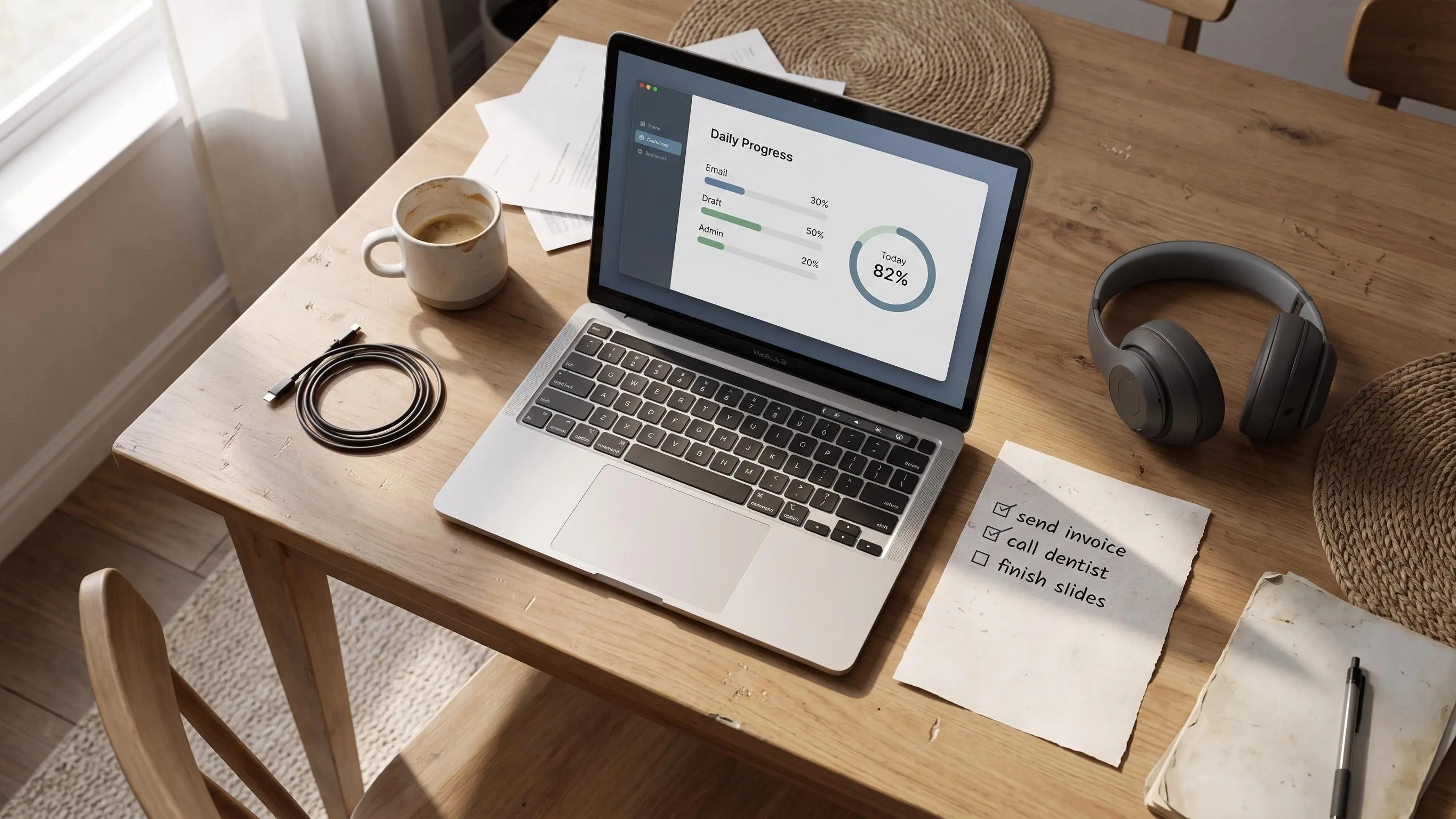
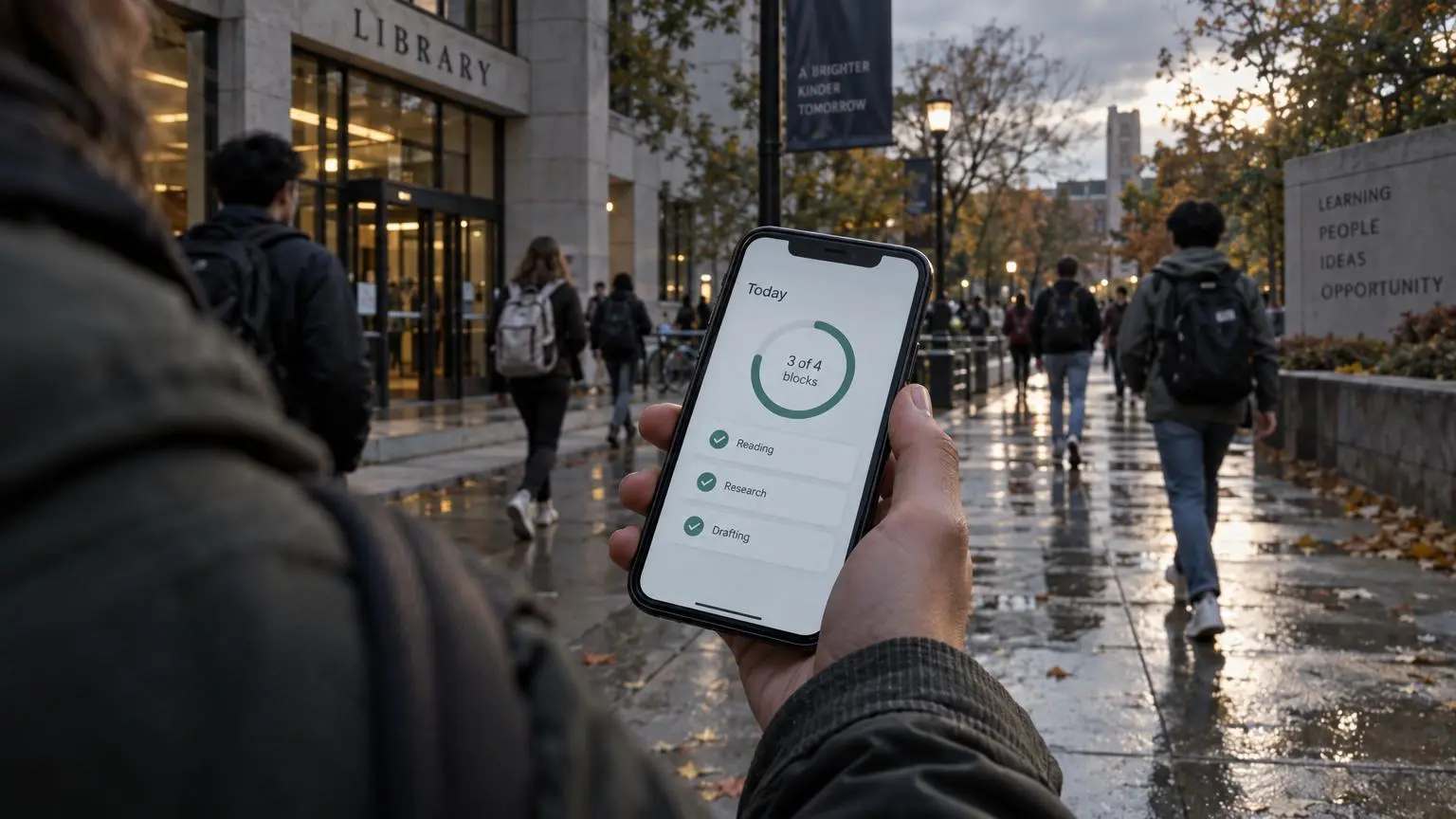
A visual progress tracker stops the familiar problem: you worked all day, yet the task list still looks accusing. Plain timers count minutes; they do not show whether the work that mattered moved.
What helps is a small, finite plan tied to completed focus blocks. Keep it readable in seconds, not another dashboard to maintain.
Watch for these practical pressure points:
- Plan fewer blocks than your optimistic brain suggests
- Compare estimated time with what the work actually took
- Treat an unfinished ring as feedback, not failure
See the day clearly. Close it calmly.
What a visual progress tracker actually is
A visual progress tracker is a simple way to see completed work over the course of a day. Not planned work. Not hoped-for work. Done work.
That difference matters more than most people expect.
A good visual progress tracker is not there to prove you're busy. It's there to make effort finite. You should be able to look at it and answer one question fast: how much of today's planned work is actually finished?
That sets it apart from a few nearby tools people often lump together:
- A to do list captures possibilities, but it usually keeps growing
- A habit tracker counts repeats across days, not meaningful progress inside one day
- A standalone timer records time passing, which is not the same as work completed
The best trackers reduce rethinking. You don't want to keep reopening your list at 2:17 p.m. and renegotiating your whole day. You want a visible signal that says, yes, the day is moving.
For people who want structure but don't want to adopt a full productivity doctrine with color codes and twelve statuses, this is the sweet spot. A visual progress tracker gives shape to the day without turning the day into admin.
Visible progress should remove doubt, not add paperwork.
Why long task lists make work feel worse than it is
Most overwhelm does not start with the work itself. It starts with the list.
You sit down. The list is long. Half the items are vague, a few are leftovers from yesterday, one has a due date attached like a threat, and before you've started, you already feel behind. That's not a motivation problem. That's bad scope.
Unfinished tasks create open loops. Your brain keeps them slightly active, which makes the day feel larger than it is. Ten small tasks can feel heavier than three hours of actual focused work because the list keeps asking for attention.
Plain timers don't fix this on their own. If the timer is disconnected from a plan, you can complete four sessions and still wonder where the day went. The clock says you worked. Your brain says, "On what, exactly?"
That's why pressure based productivity tends to backfire. It asks you to push harder against a shape you never defined. Completion based productivity works differently. You decide what's worth doing, make the scope visible, then judge the day against that smaller plan.
A lot of smart people live in quiet self criticism here. They want to work. They care. They are not avoiding responsibility. They're just trying to operate inside a system where everything stays unfinished at once.
A calmer shift is to judge the day by completed focus blocks against a realistic plan, not by the pile of leftovers. The pile always wins if that's the game.
What is a daily progress ring and why does it work
A common version of a visual progress tracker is the daily progress ring. If you're wondering what is a daily progress ring, it's a circular visual that fills as you complete planned work blocks through the day.
It looks simple because it is simple. Good.
A ring works well because it shows movement toward closure. A basic progress bar often feels like accumulation. More done, more left. A streak counter shows consistency across days, but it doesn't tell you whether today is under control. A daily completion ring gives the day an edge. It can close.
That end point matters. Knowledge work has a nasty habit of feeling endless because so much of it is invisible until very late. Reading, drafting, outlining, debugging, studying, reviewing notes. You can do real work for hours and still feel like nothing happened. A ring gives that effort a visible form.
Here's the psychological trick, if we can call it that without sounding too pleased with ourselves:
- the ring starts incomplete
- each finished block changes the shape
- the day feels more contained as the circle fills
- closure becomes visible before the final result exists
That's where motivation from visible progress comes from. Not guilt. Not urgency. Not some grand speech to yourself. Just evidence.
In Flocus, the ring fills when you complete focus blocks tied to planned tasks. That part is important. A timer running in isolation can make you feel diligent while you drift through low value work. The ring means more when each segment belongs to something you decided mattered before you began.
What research says about tracking progress
A meta-analysis of 138 randomized studies involving 19,951 participants found that interventions designed to promote progress monitoring increased how often people monitored their progress and improved goal attainment. The analysis reports standardized effects, so the figures show the average difference between monitoring interventions and control conditions rather than a promised percentage increase for an individual.
Standardized average effects from a meta-analysis of 138 randomized studies comparing interventions designed to promote progress monitoring with control conditions.
Sources
Harkin et al., *Psychological Bulletin* (2016).
- The study evaluates interventions designed to increase progress monitoring broadly, not daily completion rings or a specific tracker product.
- Standardized effect sizes are not percentage improvements and do not predict an individual reader’s outcome.
- The outcomes are related but distinct: increased monitoring frequency is not equivalent to increased goal attainment.
| Outcome | Effect size (d+) |
|---|---|
| Monitoring frequency | 1.98 |
| Goal attainment | 0.40 |
The change in monitoring frequency was much larger than the average change in goal attainment, a useful reminder that logging progress is not the same as finishing the work. Still, the positive attainment result supports a modest claim for a daily ring: making progress visible can be one part of a system that helps people follow through.
The evidence covers goal-monitoring interventions broadly, not daily completion rings, a specific app, or knowledge work alone. A ring is therefore best treated as a practical implementation of progress monitoring, not a guaranteed productivity upgrade.
Why progress ring productivity feels calmer than chasing more
Progress ring productivity is a way of working where progress is measured against a small intentional plan, not against the full backlog of your life. That sounds obvious. It isn't how most people work.
Most people carry the whole backlog into today and then wonder why they feel mentally outnumbered by 10:30 a.m.
Visible completion tends to beat abstract ambition because the brain likes immediate feedback. You finish a block, the ring changes, and the signal is clean. Something happened. You moved. That matters more than people admit, especially when your job or studies produce few obvious milestones during the day.
The question changes too. Instead of "How much more can I squeeze in?" you get a better one:
What matters most, and how close am I to done?
That creates a quieter kind of motivation. Students can see a chapter broken into finite sessions instead of "study chemistry" hanging over the day like weather. Knowledge workers can see movement on writing, analysis, or planning work that otherwise stays annoyingly abstract until the end.
It also helps with re-entry. After lunch, after class, after the inevitable interruption, you don't have to rediscover your day. The ring and the planned blocks show where you are. That's more useful than raw willpower.
Streaks and weekly insights can strengthen this, but only if they reflect real completed work. App usage is not progress. Logging in is not progress. We try not to confuse attendance with output.
How to see your day at a glance without micromanaging yourself
The phrase "see your day at a glance" sounds nice until it turns into a dashboard with eleven widgets and no useful answer. The day should be readable in seconds.
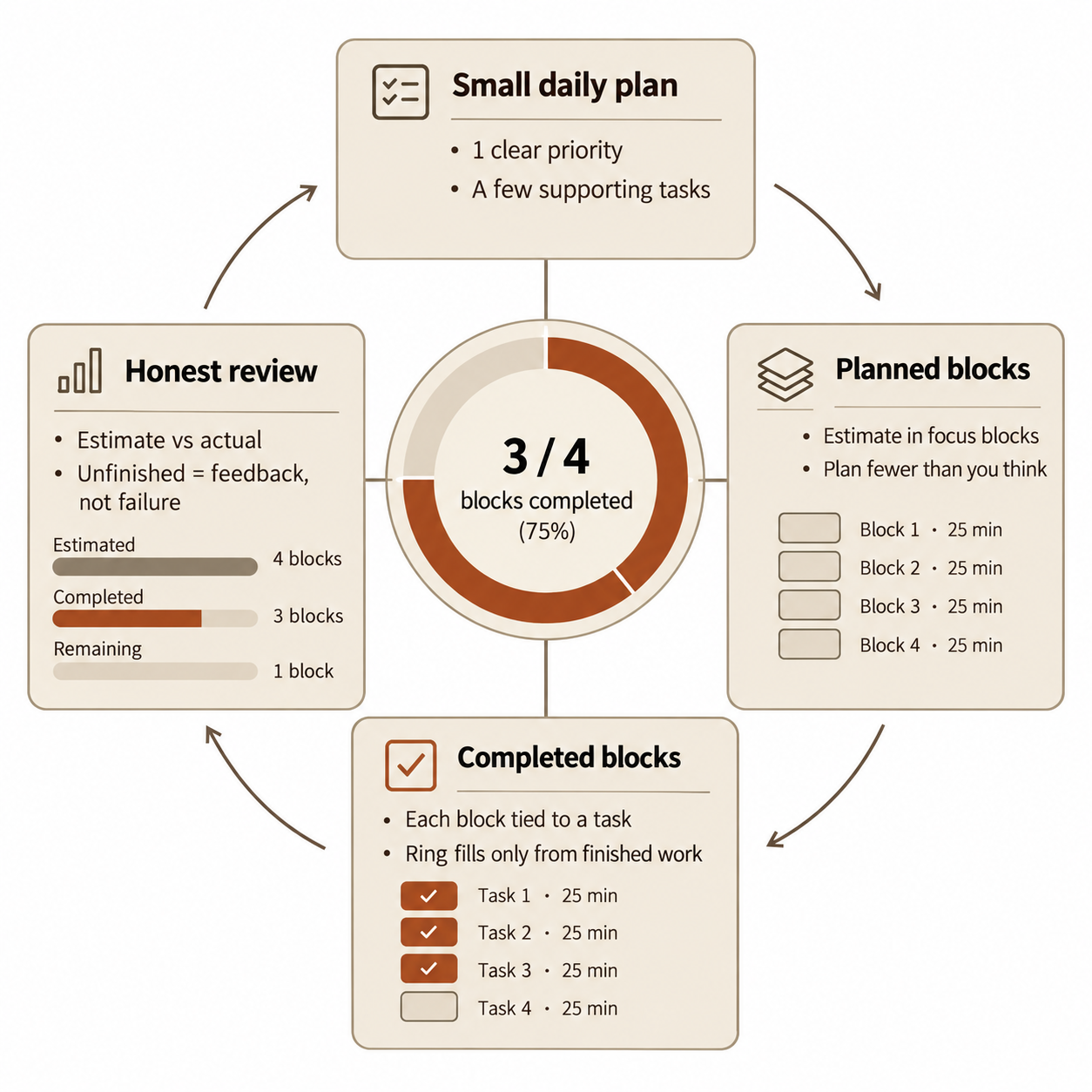
You need four things:
- your top priority
- a short list of supporting tasks
- planned work blocks
- completed blocks versus what's left
That's enough. More detail is usually just prettier uncertainty.
Planning in work blocks changes the texture of the day. "Draft intro" is fuzzy. Two focus blocks for the intro is concrete. Before work begins, you can see the rough shape of the day and whether you've been honest about capacity.
Estimate versus actual tracking matters here more than people think. Without it, most planning stays theatrical. You guess optimistically, overpack the day, then call yourself the problem when reality shows up. Tracking the gap between estimate and actual gives you a way to improve scope instead of just feeling bad repeatedly.
In our Daily Planner, tasks connect to planned focus blocks, and completed blocks fill the ring over the day. That's the part many timer apps skip. They measure time, but they don't help you decide what the time is for. The planning layer is the boring part until it isn't. Then it's the whole game.
The simple structure behind a good visual progress tracker
A good system is smaller than most people expect. If it takes twenty minutes to maintain, it won't survive a busy Tuesday.
The useful version usually has five parts:
- One clear priority for the day
- A short realistic list of supporting tasks
- Time estimates in discrete focus blocks
- A visible completion signal such as a ring
- A quick end of day review
Discrete blocks work better than vague promises because they force contact with reality. "Work on this later" is how tasks become wallpaper. A block has edges. It starts, it ends, and it either happened or it didn't.
A pomodoro style structure helps because the unit is approachable. Twenty five minutes is not magic, but it is short enough to start and long enough to matter. That balance is useful when motivation is shaky or the task has too much emotional drag attached to it.
The tracker should reflect both planning and execution. If it only shows elapsed time, you lose context. If it only shows tasks, you lose pace. You want both in the same frame.
That is also why a Focus Timer works best when it starts from a planned task rather than from an empty countdown. An empty timer can support work. It can also support procrastination with very good posture.
How to build a daily completion ring habit that does not become another chore
The habit should feel light enough to keep on rough days. If it only works when you're rested, organized, and slightly smug, it isn't a real system.
A simple workflow is enough:
Daily setup sequence
- Pick the main task
Choose one most important task. Ask what would make the day feel meaningfully used.
- Add supporting tasks
Add a few supporting tasks only if there is actual room.
- Estimate focus blocks
Estimate the work in focus blocks.
- Match blocks to tasks
Run each block against a specific planned task.
- Track completed work
Let the daily completion ring fill from completed work only.
- Review accuracy
Review what matched your estimate and what didn't.
That's it.
A non-obvious point here: starting smaller often gives better data. If you aim for one or two completed blocks daily at first, you learn the system under normal conditions. If you design an ideal routine around six perfect sessions, you've mostly designed a future guilt machine.
We'd rather see a reader close a small ring consistently than admire a large plan they stop using by Thursday.
What to track and what to ignore if you want real motivation from visible progress
Not every measurable action deserves a place on the dashboard. Some metrics just give anxiety better graphics.
Track the signals that match meaningful work:
- planned focus blocks completed
- estimated versus actual time
- whether the day reached closure against the plan
Be careful with everything else. Total app opens, endless tags, giant unsorted task dumps, and fussy categories can make you feel organized while hiding the main question: did the important work get done?
Visible progress only motivates when the signal matches what you actually value. If your tracker rewards motion, you'll create motion. Usually the least important kind.
Reflections, streaks, and weekly recaps become useful later, once the daily signal is trustworthy. Before that, they can turn into commentary on bad planning rather than help with good work.
A tracker that rewards busyness will make overwhelm worse. It turns activity into a game, and games are very good at consuming your afternoon.
Common mistakes that turn a visual tracker into more pressure
A visual progress tracker can calm the day down. It can also become another place to fail in high resolution.
The mistakes tend to be predictable:
- Planning too many blocks and making the ring a daily reminder of impossible expectations
- Monitoring every minute instead of using the tracker to guide attention
- Filling the plan with easy low value tasks because they complete nicely
- Treating the ring as pass or fail instead of feedback on scope, pacing, and energy
- Ignoring estimate versus actual patterns and repeating the same fantasy schedule
- Protecting a streak so aggressively that consistency turns into burnout
- Assuming a clean interface will solve a planning problem when task selection is the real issue
That last one catches a lot of people. A beautiful app can still leave you stranded if it doesn't help you choose what matters and limit the day's scope. Nice design is pleasant. It is not a method.
If the tracker makes you feel watched by your own tools, something has gone wrong.
Who benefits most from this approach
This approach works best for people whose work is real but hard to see while it's happening. That's a large group.
Students benefit because large assignments often need to be translated into finite blocks before they become workable. "Write essay" is useless. Three blocks for research, two for outlining, two for drafting is at least negotiable.
Knowledge workers benefit for a similar reason. A day spent thinking, writing, reviewing, or solving problems can feel suspiciously empty if there is no visible evidence along the way.
It also fits people who've tried Pomodoro apps and found them disconnected from actual priorities. The timer wasn't wrong. It just wasn't enough.
And for readers who want calm structure without adopting a full productivity system, this is usually a good middle ground. Enough shape to help. Not so much machinery that planning becomes the work.
There's also a narrower group: deep workers who care not just about time spent but attention quality. For people who already own a Muse headband, our Flow Tracking adds an optional layer by showing live focus quality during sessions. Useful if you're neurotech curious. Entirely optional if you're not. The daily progress system works fine without hardware.
How to choose the right visual progress tracker for your day
Whether you use paper or a digital tool, the test is mostly the same. Choose the thing that helps you make decisions before work starts and gives honest feedback after it ends.
Use these criteria:
- Does it connect planning to execution, or is it just a timer?
- Can you see your day at a glance in a few seconds?
- Does it help you define one clear priority?
- Can it track completed work blocks, not only elapsed time?
- Does it show estimate versus actual time so planning improves?
- Does the visual signal encourage closure and reflection rather than guilt?
If the answer is mostly no, keep looking.
For readers who want a free browser based option, Flocus is a strong fit because it combines a Daily Planner, a Focus Timer, and a daily ring in one place. The point isn't novelty. It's that the pieces belong together. You choose the work, run the block against that work, and the ring reflects what actually got finished.
That tends to produce better days than collecting timers and lists from separate tools and hoping they cooperate.
Conclusion
A visual progress tracker works when it makes daily work visible, finite, and honest. Not inflated. Not theatrical. Honest.
The method is straightforward: choose what matters, break it into focus blocks, use a daily completion ring to make progress visible, and review the gap between plan and reality. That last part is where the system gets smarter.
Calm productivity comes from better feedback, not more pressure.
If you want a practical next step, keep tomorrow small. Pick one most important task, add a few planned blocks, and use a visible tracker to close the day instead of chasing an endless list. The goal is not to do everything. The goal is to be able to tell, by the end of the day, that the right work actually happened.
Article Record
ReferencesPrimary sources used for this article
- eprints@whiterose.ac.uk
- AIRbar – Get more things done by focusing on less – Human Aspects of Software Engineering Lab, University of Zurich
- To Plan or Not to Plan? A Mixed-Methods Diary
- A field experiment on the effects of weekly planning behaviour on work engagement, unfinished tasks, rumination, and cognitive flexibility
- Progress - Simple, flexible daily planner for your unique workflow
- Vizyday — Get stuff done before you die
- Reassign · Visual daily planner on a 24-hour dial
- Thruday | Visual Planner App & Focus Tools for Chaotic Days
- Boosted - Time & Productivity Tracker