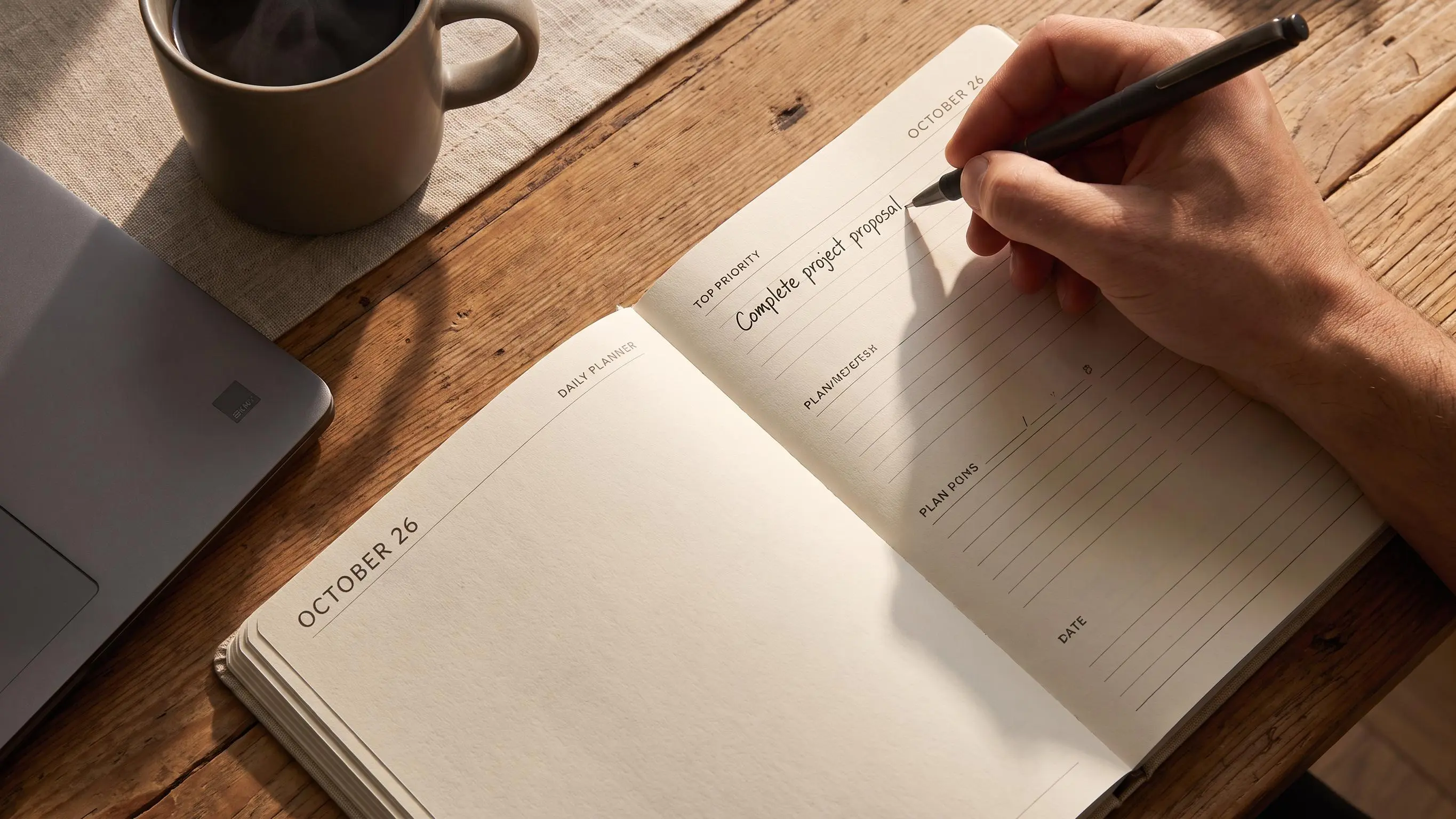
Most days don't fail because you're lazy. They fail because the list is too long, everything looks urgent, and a plain timer can't tell you what deserves your first good hour. A daily priority planner fixes that part.
What matters is choosing one real priority, shrinking it to a starting step, and giving it protected time before the day gets noisy. Skip the fantasy schedule.
A few things to watch for:
- If your top task sounds like a whole project, it's still too big.
- If you check email first, the day usually belongs to everyone else.
- If you track time against the plan, you'll know what actually moved.
Why Most Workdays Feel Busy but Still End Unfinished
Most unfinished days don't fail because you were lazy. They fail because everything asked for attention at once, and nothing got protected long enough to actually move.
You know the pattern. A long task list, a few messages that look urgent, maybe a meeting or two, then a trail of half-started work. By late afternoon you've done plenty, but if someone asked what truly moved forward, the answer gets fuzzy fast.
A to-do list is good at collecting obligations. It is not good at forcing selection. It doesn't tell you what goes first, what deserves your best hour, or what should wait. So the list quietly becomes a guilt archive.
Plain timers have a related problem. They can help you count 25-minute chunks, but they don't help you decide what those minutes should be spent on. A timer without a plan is still drift, just better measured.
The hard part of a good day is rarely effort. It's choosing. Checking off easy tasks creates motion. Meaningful work usually asks for sustained attention on one harder item, often the thing you'd rather delay until you're somehow "more ready." That moment rarely arrives on its own.
When every task feels urgent, nothing becomes a real priority.
That's the hidden planning failure. Not lack of discipline. Lack of a clear decision before the day gets noisy. Calm focus is usually built upstream, with a simple choice about what matters most.
What a Daily Priority Planner Actually Does
A daily priority planner is a system for deciding your most important work first, limiting your active list, and organizing the day around that choice. That's it. Simple on purpose.
It isn't the same as a general to-do app, a calendar, or a standalone Pomodoro timer. Those tools can be useful, but they each solve only part of the problem. A to-do app captures. A calendar schedules. A timer counts. A planner should help you decide.
A good daily priority planner does four jobs:
- helps you choose your top task
- keeps the list deliberately short
- turns priorities into realistic work blocks
- gives you a visible way to track completion
That last piece matters more than it sounds. A plan is calming when it answers a very specific question: what deserves my attention right now? Mental noise drops when the day stops being an argument.
Different tool types tend to miss different things:
- Simple priority planners are great for clarity, but they may stop at the list.
- Three-task planners reduce clutter, but timing often stays vague.
- Calendar-first planners show the whole day, but can get visually crowded by noon.
- Timer-first apps support focus sessions, but often skip the planning layer entirely.
We're not trying to plan more. We're trying to plan just enough that focused work becomes easier than avoidance. That's a much lower bar, and a more useful one.
The Power of One: Why the One Main Task System Works
The one main task system is the simplest structure we've found that still holds up in real work. Choose one priority. Give it protected status. Build the day around making visible progress on it.
Most people don't need a more complicated framework. They need less competition between tasks.
Trying to juggle three to ten important things at once sounds balanced. In practice, it creates constant re-ranking. You keep asking, "Should I switch now?" That question burns more attention than people realize. By the second afternoon, it gets expensive.
Planning around one priority changes the feel of the day. The finish line becomes visible. That lowers avoidance. It also improves timing, because the important work gets a real slot before meetings, messages, and decision fatigue start taking bites out of your attention.
This doesn't mean only one task exists. It means one task is protected.
Some systems use three daily tasks. That's better than twenty, but if all three feel equally important, attention still splits. Other planners suggest tasks dynamically based on time, energy, or calendar gaps. That can help, but it also adds complexity right where many people need simplicity.
For students and knowledge workers, especially those doing writing, analysis, studying, and project work, the one main task system is unusually effective because the real bottleneck isn't usually task volume. It's uninterrupted thought.
How the MIT Planning Method Fits Into a Daily Priority Planner
The MIT planning method gives the one-task approach a clear rule. MIT stands for most important task. It is the piece of work that would make the day feel meaningfully used, even if not much else gets done.
That's different from generic prioritization. MIT planning asks what matters most, not what arrived most recently or made the most noise. It assumes your best attention is limited and should be spent deliberately.
A practical MIT usually passes a few tests:
- it advances a real goal
- delaying it has consequences
- it needs focused thinking, not just quick admin
- finishing it creates relief or momentum
People usually go wrong in familiar ways. They pick the easiest task, because it offers quick emotional relief. They pick the loudest request, because urgency is persuasive. They choose something so vague it can't be started. Or they name three MITs, which is a polite way of not choosing one.
The distinction that helps is this:
- MIT: the day's anchor
- Support tasks: maintenance, follow-ups, admin, small completions
That anchor may need resizing on fragmented days. If your schedule is broken into odd pieces, the MIT can be a smaller but still meaningful unit of progress. The method isn't rigid. It just refuses to pretend unlimited attention exists.
How to Choose Your Top Task Without Overthinking It
You do not need a dramatic morning ritual to choose your top task. Five calm minutes is enough.
Use this sequence:
- Review deadlines and fixed commitments.
- Check your weekly goals or active projects.
- Ask what would create the most progress or relief today.
- Pick the task that needs your freshest attention.
- Shrink it into a concrete starting point.
The filters are simple, and a bit unforgiving:
- importance over urgency
- progress over busyness
- specificity over abstraction
- meaningful effort over visible activity
This importance-versus-urgency distinction is also recommended by UGA Extension, which advises ranking manageable tasks by priority rather than focusing only on how many items you can check off. That supports the aim of a daily priority planner: protect the work with the greatest consequence, not merely the work that feels loudest.
That last one catches a lot of people. Visible activity is seductive. It looks productive from across the room.
A vague priority needs to be reduced until it can survive contact with a real morning. For example:
- "write paper" becomes "draft introduction and outline"
- "work on presentation" becomes "build first five slides"
- "study biology" becomes "review chapters 3 and 4 flashcards for one block"
If everything feels important, choose the task with the highest downstream impact. If anxiety is making the decision blurry, choose the task you're most likely to avoid but know matters. If energy is low, scale the task down without changing the priority.
A lightweight tool can help here. The Flocus Daily Planner, for example, is built around choosing one most-important task and keeping the rest of the list intentionally short. Useful, mostly because it removes opportunities to negotiate with yourself.
Planning Around One Priority Without Ignoring the Rest of Your Life
Planning around one priority does not mean pretending your calendar, errands, and recurring tasks vanished overnight. It means giving them the right rank.
A calm daily layout usually has layers:
- one top priority
- a short list of secondary tasks
- fixed commitments already on the calendar
- buffer time for whatever inevitably appears
A practical setup looks like this:
- MIT at the top
- estimated focus blocks needed
- two to four secondary tasks at most
- one shutdown task
Some people do need more integrated views. If your day is meeting-heavy, a combined task-and-calendar agenda can be helpful. If you're managing larger projects, kanban boards and recurring task systems may fit better. Some apps add AI suggestions, energy patterns, or mood signals. Those can be interesting. They are not required for a calm planning habit.
Constraint matters here. Writing down everything feels responsible, but often acts as emotional insurance. You get the comfort of capture without the discipline of selection.
Plan the night before if evenings are when your mind is clearest. Plan in the morning if you think better with fresh context. Either works. The main thing is to choose before the day starts choosing for you.
Turn Your Priority Into Focus Blocks You Can Actually Finish
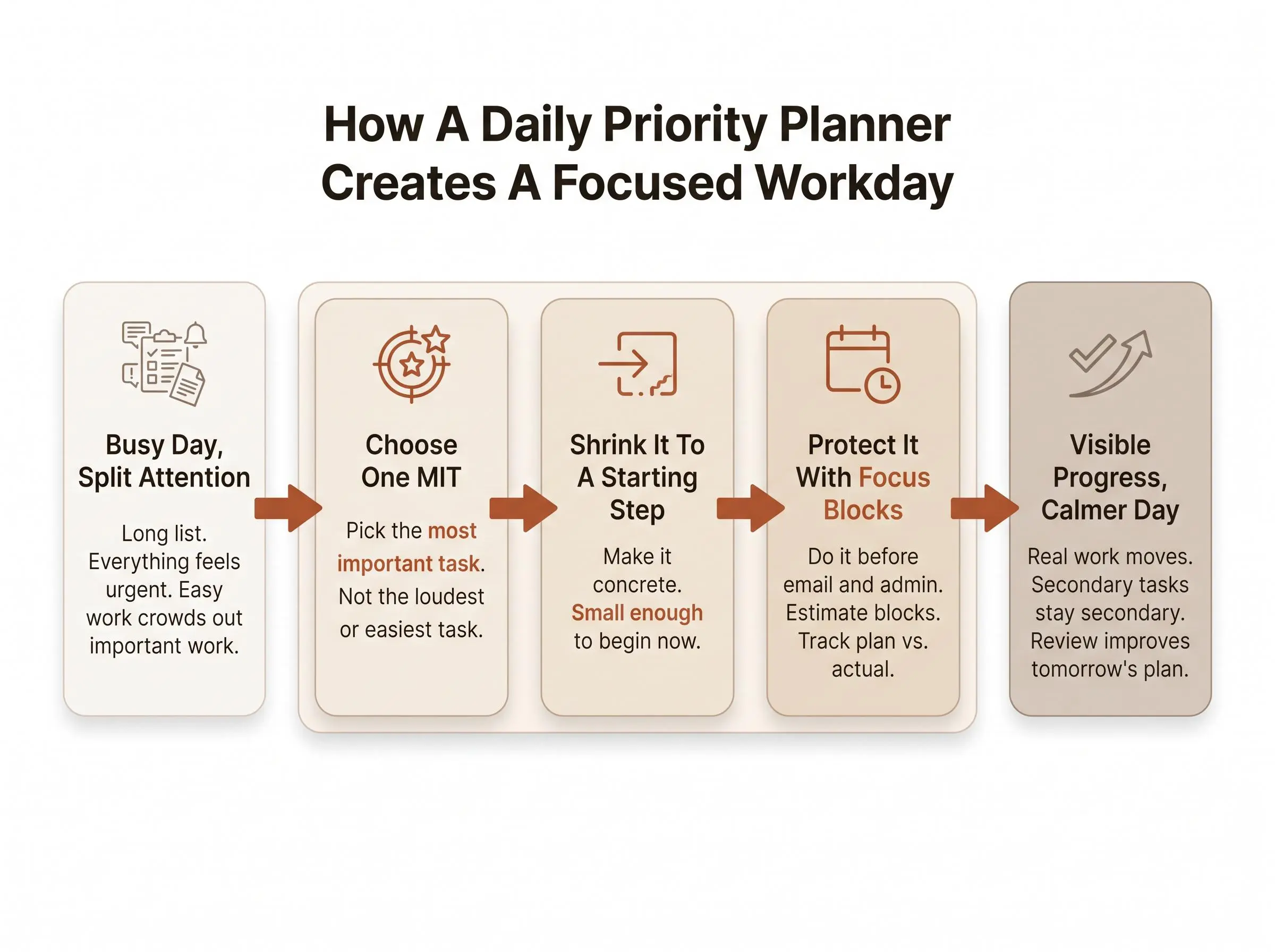
Choosing the MIT is only half the method. The next step is turning it into time-shaped work.
Pomodoro-style focus blocks are useful because they lower the start cost. You don't need to promise heroic concentration all day. You need to begin one block. Usually that's enough to get traction.
Keep the estimate conservative:
- decide how many blocks the MIT likely needs
- assume it will take a bit longer than you'd like
- use breaks as a reset, not a trophy
Estimates matter because they expose fantasy. If your plan requires six focused blocks and you realistically have two, the issue is not motivation. The issue is arithmetic.
One of the most useful planning habits is comparing estimated versus actual time. It keeps planning honest. Over a few days, you start seeing which tasks expand, which ones start slowly, and where your time stories don't match reality.
A simple workflow is enough:
- choose the top task
- assign one to four focus blocks
- start the first block before opening low-value inputs
- review whether the estimate held up
In Flocus, the planning layer and Focus Timer live together, so you can start a block directly from the task you planned. That matters more than it sounds. Fewer tool handoffs means fewer chances to drift.
The point of timed work isn't speed. It's protection.
What to Do With Secondary Tasks So They Do Not Take Over
Secondary tasks are not the enemy. Mixed indiscriminately with deep work, they become one.
A good rule is blunt: secondary tasks should support the day, not compete with the MIT. If they repeatedly win, the system is being quietly sabotaged.
It helps to sort non-MIT work into a few plain categories:
- quick admin
- follow-ups
- maintenance tasks
- errands or personal tasks
Keep that list short. Batch quick tasks into one window if you can. And unless something is genuinely urgent, don't do them before the first MIT block. Morning attention is expensive. Spend it accordingly.
There's also a useful signal to watch for. If a secondary task keeps getting postponed, requires concentrated thought, or carries strategic weight, it probably isn't secondary anymore. It should become tomorrow's MIT.
Productive procrastination is the trap here. Clearing tiny tasks feels virtuous while you avoid the work that would actually change the day. We've all seen that movie. It has a very predictable ending.
Good planning is selective, not exhaustive.
A Calm Daily Priority Planner in Practice
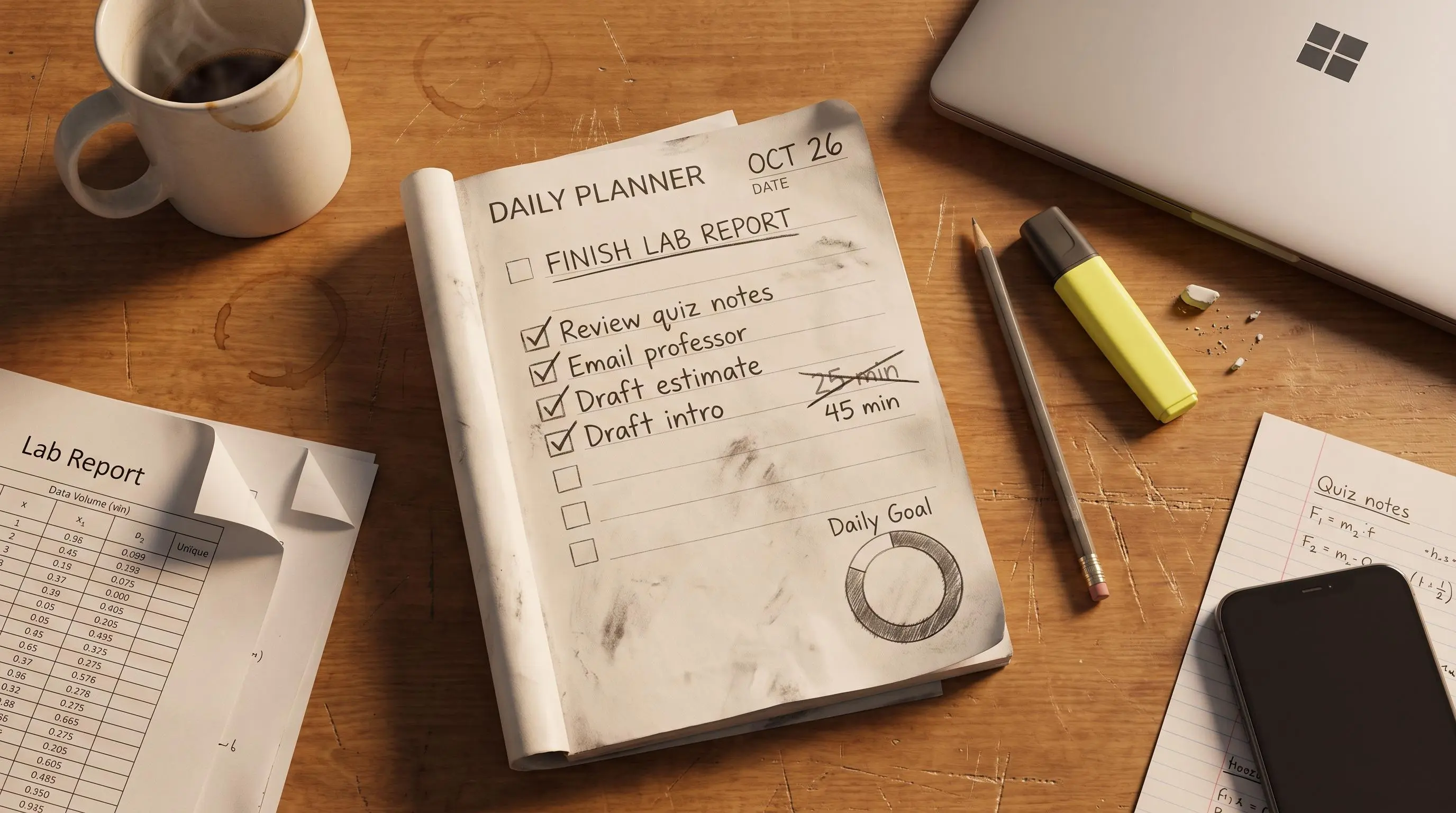
This method looks almost boring on paper. That's part of why it works.
A student day might look like this:
- MIT: draft lab report results section
- estimate: two focus blocks
- secondary tasks: email professor, review quiz notes, submit form
- shutdown: preview tomorrow's reading
A knowledge worker's day might look like this:
- MIT: finish proposal draft
- estimate: three focus blocks
- secondary tasks: reply to urgent client email, update task board, schedule meeting
- shutdown: note blockers and next step
On a fragmented day with meetings, reduce the scope without abandoning the method:
- MIT: complete one meaningful subtask before noon
- work around fixed commitments
- use one shorter block if a full block is unrealistic
Visible progress changes motivation in a quieter way than hype does. A completed block feels concrete. You can point to it. A clear end-of-day marker helps the mind stop circling unfinished work.
In Flocus, completed focus blocks fill a daily progress ring. We like that because it makes progress visible without turning the day into a weird little morality play about streaks.
Paper Planner, Digital Planner, or Calendar App: Which Setup Helps Most?
The best setup depends less on aesthetics than on where your process breaks.
Paper priority planners are strong when you need simplicity and low distraction. They create intention well. Their limits are practical: no automatic time tracking, no cross-device access, and not much help reviewing patterns over time.
Minimal digital planners make capture easier and reset cleanly each day. They're portable and lighter to maintain. But many stop at list-making, which is fine until follow-through is the actual problem.
Calendar-task hybrids are useful when appointments dominate the day and tasks need to live beside them. The tradeoff is crowding. If you're already prone to overwhelm, a packed agenda view can feel like being yelled at by rectangles.
Feature-rich task managers handle projects, tags, recurring tasks, reminders, and every view under the sun. Useful, certainly. Also very good at turning organization into a hobby.
AI- or energy-guided planners can suggest next actions and adapt to patterns. For some people that's genuinely helpful. For others it's added complexity around a simpler issue: they haven't learned to choose one priority.
If follow-through is harder for you than capture, choose a setup that combines priority selection, focus blocks, and review in one flow. That's the real gap plain timers and plain lists often leave behind. Flocus fits that shape as a browser-based daily planner, not just a timer and not just a list.
Why Review Matters More Than Motivation
A useful daily planner does not end when the timer stops. The review is where the method gets smarter.
A short end-of-day check should answer:
- Did I finish the MIT?
- Was my estimate realistic?
- What interrupted me?
- What should become tomorrow's starting point?
This isn't about self-surveillance. It's about replacing vague feelings with observable patterns. That builds self-trust. You stop guessing whether you had a "good day" and start seeing what actually happened.
Estimate-versus-actual tracking is especially helpful because it reveals chronic underestimation, shows which tasks consistently sprawl, and nudges you toward lighter, more realistic days. A lot of productivity frustration is just repeated planning fiction.
Momentum signals help too, if used gently:
- visible completion
- streaks without punishment
- weekly and monthly recaps based on real days
Calm focus becomes trainable when you can see what works for you. Mood is unreliable. Memory is worse.
Optional but Interesting: Measuring Focus Quality, Not Just Time
This part is optional. Very optional. But for some readers, it's genuinely interesting.
Time tracking tells you how long you worked. Focus measurement tries to show how engaged you were during that work. Those are not the same thing, and anyone who has stared blankly at a paragraph for twelve minutes already knows this.
For readers experimenting with deep work, fatigue, or peak focus windows, measured focus can add a useful layer. Flocus Flow Tracking works with a compatible Muse headband, runs a short personal calibration, then shows a live focus score during sessions while classifying states like Flow, Overload, and Low Engagement.
The practical tone matters here. This is not necessary for a good planning habit. It is most useful if you already own the hardware or you're specifically curious about measured focus rather than self-reported focus.
The bigger point stays the same either way. Even without hardware, planning around one priority and protecting it with focus blocks improves attention because your mind has a clear target.
Common Mistakes That Make a Daily Priority Planner Stop Working
Most failures with a daily priority planner are not mysterious. They are usually a few repeat mistakes wearing different clothes.
Watch for these:
- choosing an MIT that is really an entire project
- putting five to ten tasks in the priority slot and calling them equal
- starting the day with messages and admin before touching the top task
- estimating unrealistically, then blaming the method
- letting secondary tasks repeatedly displace deep work
- skipping the review, so the system never learns
- switching tools constantly instead of committing to one simple method for a few weeks
- using streaks or completion markers as self-judgment
A planner stops working when it becomes a performance. Keep it operational. That's enough.
How to Start Using a Daily Priority Planner Tomorrow Morning
Start small. One day is enough to test the shape of this.
Night before or morning of, do this:
- write down all open tasks
- choose one most-important task
- define the first concrete step
- estimate how many focus blocks it needs
- pick only a few secondary tasks
During the day:
- start the MIT first
- protect the first block from inboxes, chat, and other low-value inputs
- record what actually happened
At the end of the day:
- mark whether the MIT moved forward or finished
- compare the estimate with reality
- decide tomorrow's likely MIT before closing out
If you've bounced off heavier systems before, that's not a character flaw. It usually means the system demanded too much ceremony. Keep this experiment light and repeatable.
Conclusion
A daily priority planner works because it replaces vague ambition with one clear commitment, realistic focus blocks, and visible proof of progress.
The most effective version is usually the simplest. Choose your top task, plan around one priority, protect it with timed work, and review the day honestly. That's enough structure to change the feel of a workday without turning your life into a productivity project.
Try it for one week. Not forever. Just long enough to notice whether calm, focused workdays start feeling less like a personality trait and more like a condition you can create on purpose.
Article Record
ReferencesPrimary sources used for this article
Update HistoryMeaningful revisions to this article
- Added guidance from an official time-management source to help readers choose their top task with less overthinking.
- Strengthened the priority-planning section with evidence-based advice for calmer, more focused workdays.