
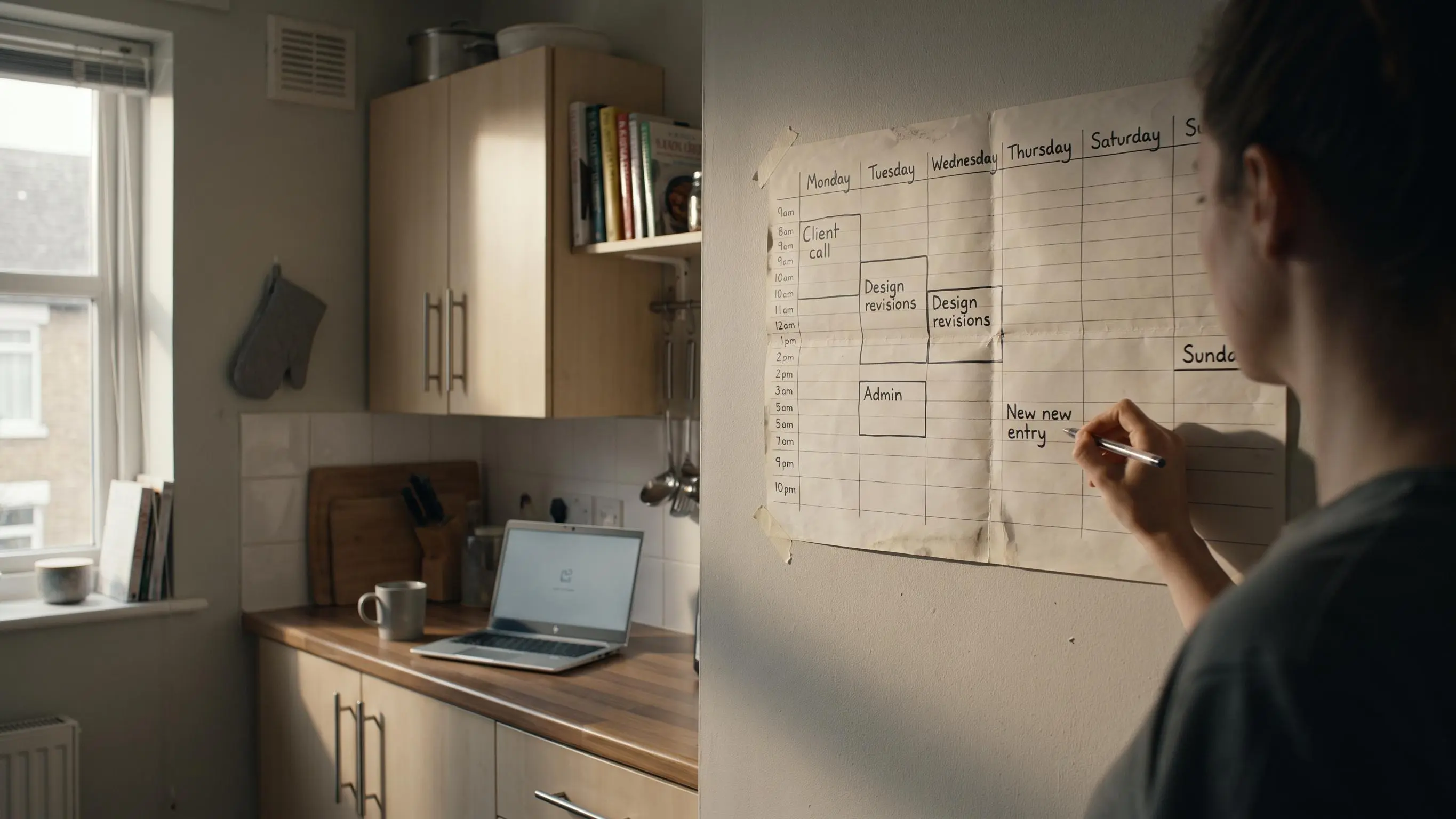
Time blocking for freelancers usually falls apart for a boring reason: client noise gets on the calendar first. You stay busy, answer everything, and still miss the work that actually pays.
What matters is simpler. Block the real deliverable before messages, leave room for overruns, and don't pretend every hour has the same brainpower. A usable plan beats a pretty one.
A few things are worth fixing first:
- Block a task with an outcome, not a vague project name.
- Keep calls, email, and admin in their own windows or they leak everywhere.
- Check planned time against actual time for one week. Your day will stop vanishing.
Why Time Blocking Feels Different When You Freelance
Freelancing has a strange mix of freedom and noise. No boss, no fixed hours, no default order to the day. Just three to five active clients, a stack of tabs, and the quiet assumption that you should somehow manage all of it gracefully.
Most productivity advice falls apart here because it's built for one employer, one priority stack, and a workday that already has edges. Freelance work doesn't. Your revenue is tied more directly to the quality of your output and the amount of focused time you can protect. If your thinking is scattered, the business feels it.
That freedom also comes with uncertainty. In a reflection on moving between full-time work and freelancing, Katie Stoller describes the tradeoff as control over her schedule and clients alongside fluctuating revenue and less certainty about how long contracts will last. A time-blocking system cannot remove that uncertainty, but it can give the workday a more dependable shape.
The switching cost is where things get expensive. Knowledge workers can switch tasks every three minutes on average, and interruption recovery can take about 23 minutes. For a freelancer moving between a client brief, Slack, invoicing, revisions, and email, a few context switches can quietly burn 90 minutes of usable focus before lunch.
That usually gets misread as a discipline problem. It isn't.
Freedom without structure doesn't feel free for long.
Time blocking for freelancers works because it gives your attention somewhere to go before the day starts making decisions for you.
What Time Blocking for Freelancers Actually Means
In plain language, time blocking means assigning specific periods of the day to specific tasks or types of work before the day begins. A good block answers three questions: what are you doing, when are you doing it, and for how long.
That sounds obvious until you compare it to how most freelance days actually run.
- A to-do list captures work
- A time block commits time to it
- Timeboxing sets a maximum duration
- Block scheduling groups broad categories
- Theme days organize the week
These are related, but they're not the same thing. A freelancer who writes "Client A homepage" on a list still has to decide when to do it. A block removes that decision from the moment.
And no, this isn't minute-by-minute control. It shouldn't feel like you're directing air traffic. The goal is fewer cognitive mode changes and less drift, not a beautiful calendar you'll ignore by Tuesday afternoon.
Why This Method Works Better Than Working From a List
Lists fail in two predictable ways. First, they force you to keep deciding what to do next. Second, they leave you in reactive mode, where the loudest task wins.
That constant triage drains attention before the real work starts. You don't notice it at first. By the second afternoon, you do.
Time blocking helps because the hard choice gets made earlier, while your brain is still calm. Then your workday becomes execution, not negotiation. That's a better setup for deep work, especially if your client work involves writing, design, coding, analysis, or strategy.
It also gives a home to important but never-urgent work:
- proposal writing
- portfolio updates
- outreach
- invoicing
- business development
Those jobs rarely demand attention in the moment, which is exactly why they get skipped. Put them on a list and they float. Put them on a calendar and they exist.
The win isn't working longer. It's making progress visible instead of merely feeling busy.
Start With What Freelancers Usually Get Wrong
Most bad time blocking starts with overconfidence. Too many blocks, too many priorities, not enough honesty.
The first mistake is blocking tasks before choosing what matters most. If every client request is treated as equally urgent, the schedule is broken before the day begins. Then people blame the method.
Another common problem is mixing everything together. Deep work, email, revisions, admin, and calls do not belong in the same hour. That's not flexibility. That's friction with good branding.
A few traps to watch for:
- under-scheduling business-building work because client work feels louder
- making blocks too tight, with no room for overruns or breaks
- copying a 9 to 5 template that ignores your actual energy
- using time blocking as productivity theater instead of planning
The best system is simple enough to repeat, not impressive enough to post.
Build Your Time Blocking System Around Four Types of Work
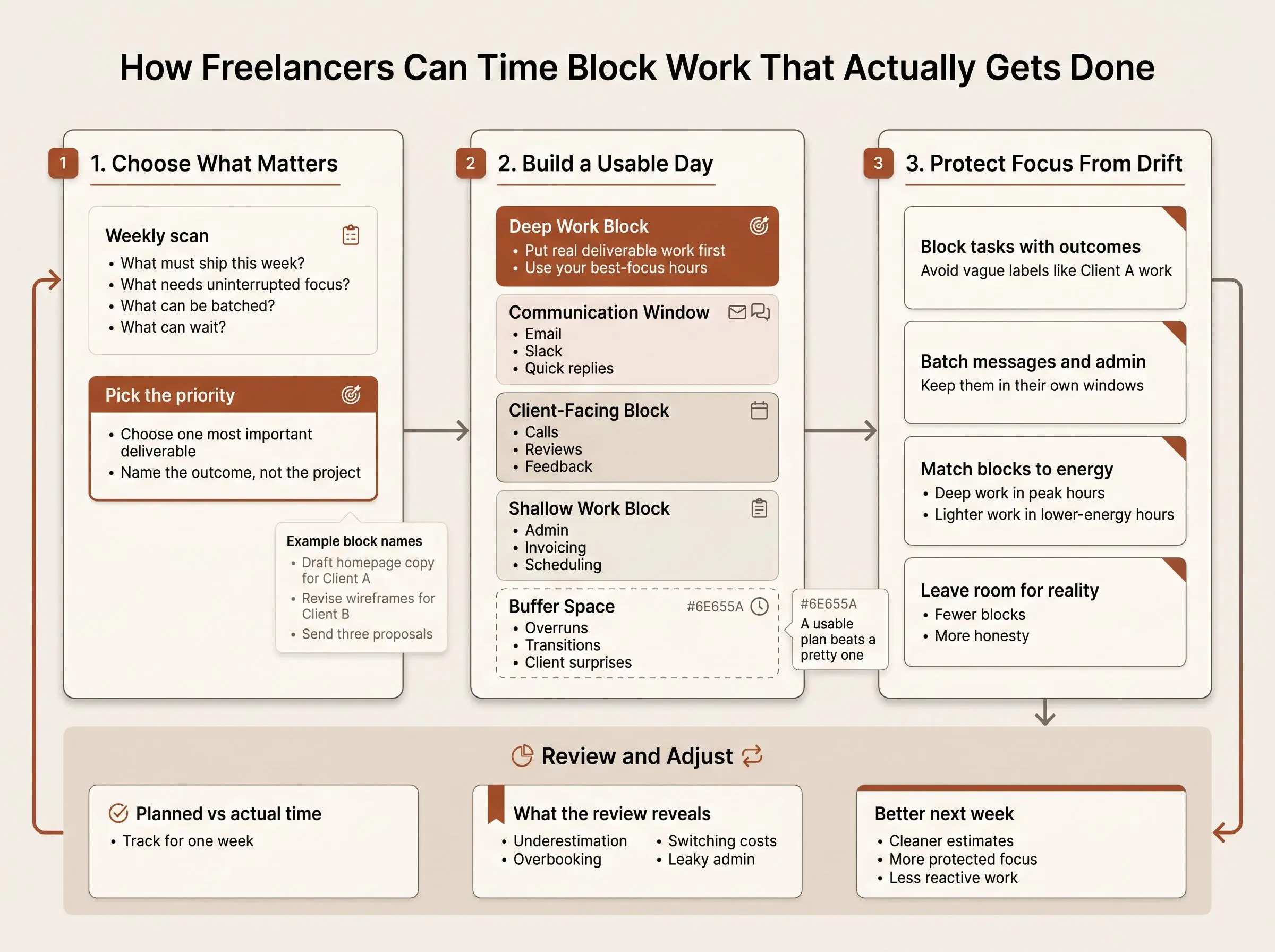
Before you start placing blocks, sort your day into real working modes. Not abstract productivity labels. Actual modes you recognize when you're in them.
Four useful categories
- Deep work for client deliverables and complex thinking
- Shallow work for email, scheduling, file cleanup, quick replies
- Client-facing work for calls, reviews, feedback rounds
- Growth work for marketing, networking, proposals, skill building
Grouping similar tasks lowers switching costs because your brain stays in one lane longer. That's the point. If your best hours go to shallow work, the rest of the day usually gets worse from there.
Protect your highest-focus window for high-value work. Writing, coding, design, strategy, analysis. Whatever actually moves projects forward.
Admin and communication need containment. Give them windows so they stop leaking across the whole day. Personal blocks matter too. Lunch, exercise, school pickup, recovery time. If they don't exist in the plan, they still happen, just in messier ways.
A focus planner for freelance work should reflect your real cognitive modes, not your idealized ambition.
Plan the Week Before You Plan the Day
Daily planning gets easier when the week already has shape. Without that, every morning starts with a small panic and the feeling that everything is urgent.
Start with a weekly scan of active clients, deadlines, and business-building obligations. Then run a simple filter:
- What must ship this week?
- What needs uninterrupted focus?
- What can be batched?
- What can wait?
From there, broad themes help. Calls on one day. Production-heavy work on another. Admin in one contained pocket. Not rigid. Just enough structure that you don't rebuild your priorities from scratch every morning.
This matters because urgent work expands fast, while important long-term work stays quiet. A weekly pass keeps the quiet work from disappearing.
If you use a freelancer daily planning app, this is the handoff you want: weekly priorities turning into daily focus blocks without turning the whole thing into a system maintenance hobby.
How to Time Block a Freelance Day That You Can Actually Follow
A workable day needs less ambition and more clarity. We like a short sequence.
A practical daily flow
- Choose the single most important task that would make the day feel meaningfully complete.
- Put it in your best-focus window before messages start breeding.
- Estimate how long it should take and block enough time for one real push.
- Add one or two secondary blocks, not a full fantasy roster.
- Batch email, Slack, and admin into one or two windows.
- Leave buffer space for overruns, transitions, and client surprises.
- At the end of the day, review what finished, what moved, and what needs a new home tomorrow.
The labels matter more than people think. "Client B work" is vague enough to invite avoidance. "Revise wireframes for Client B" is harder to wiggle away from.
Better block names look like this:
- draft homepage copy for Client A
- revise wireframes for Client B
- send three proposals
- process invoices and expenses
If you want to plan client work sessions well, give each session an outcome, not just a project name.
Match Your Blocks to Your Energy, Not Just the Clock
Not every hour has the same value. Pretending otherwise is one of the fastest ways to make time blocking feel fake.
Many people hit a stronger cognitive peak in mid-morning and a dip in the early afternoon. That's not a moral issue. It's just useful information. Put deep work where your mind is sharpest, and let admin, meetings, and lighter tasks land later.
Some freelancers also need what we'd call microshifting: flexible work windows that move around life constraints or energy changes. That's fine. But flexibility without structure becomes drift very quickly.
A few energy-aligned patterns we see often:
- early morning writing before family responsibilities
- late morning design sprint
- afternoon calls and admin
- evening review block during a second wind
Consistency matters more than copying somebody else's ideal schedule. A humane system beats an aspirational one every time.
Use Focus Sessions Inside Your Blocks So the Work Actually Starts
A calendar block is not magic. It tells you where the work belongs. It doesn't guarantee you'll begin.
That's where short focus sessions help. Inside a larger block, you run smaller timed efforts so the task feels measurable and easier to start. Pomodoro-style intervals can work well, but a timer without a plan is just a countdown with good marketing.
A simple structure is enough:
- choose the block objective
- start a focused session
- take a short break
- decide whether to continue, adjust, or stop
For demanding client work, 60 to 90 minutes often works well. For harder starts, shorter cycles can be better. Starting is sometimes the whole game.
A focus app for self employed workers becomes more useful when it includes the planning layer. That's the difference we care about. In Flocus, you choose one clear priority, work through timed focus blocks, and close the ring with visible daily progress. Each session logs estimated versus actual time, which is quietly one of the most useful parts. It keeps planning honest.
Sample Time Blocking Schedules for Different Freelance Realities

There isn't one correct freelance schedule. There are only schedules that match the work and schedules that don't.
Deep-work-first freelancer
- 9:00 to 11:00 draft homepage copy for Client A
- 11:30 to 12:00 email and Slack
- 1:30 to 3:00 revisions and asset review
- 4:30 to 4:45 plan tomorrow
Call-heavy consultant
- 8:30 to 10:00 proposal or strategy block
- 11:00 to 2:00 clustered client calls
- 3:00 to 4:00 follow-up notes and documentation
Parent or caregiver using split shifts
- 6:30 to 8:00 focused client work
- midday for life responsibilities
- 1:30 to 3:00 second work block
- 8:00 to 8:30 review and admin
Feast-or-famine freelancer
- fixed minimum daily deep work block, even during delivery crunches
- protected weekly business-development block, even when client work gets loud
The best deep work planner for client work is the one that makes protected time obvious and repeatable. The calendar should tell the truth about your day.
How to Measure Whether Your Time Blocking System Is Working
Don't judge the system by whether every block went perfectly. Judge it by what it teaches you.
Planned versus actual time is the first thing to watch. It reveals chronic underestimation, overbooking, and which blocks get eaten by distraction. Over a week, patterns show up fast.
Look for questions like these:
- when was focus easiest?
- which clients caused the most switching?
- what block lengths actually worked?
- where did admin expand more than it should?
That kind of review can improve earnings, not just organization. Better estimates lead to better scoping, cleaner timelines, and fewer invisible time leaks.
Simple visual feedback helps too. A completed ring, a streak, an end-of-day review. Not because gamification fixes everything, but because observable progress is easier to trust than a vague sense of effort.
For neurotech-curious readers, there is a deeper layer. Some tools can pair with a Muse headband and track flow state in real time while you work. Useful, if you're grounded about it. EEG isn't magic. Measured focus only matters if it helps you plan better and repeat what works.
The Most Common Time Blocking Mistakes and How to Fix Them
Most problems come from making the plan too ambitious or too vague. The fix is usually smaller than people expect.
Overfilling the day
Block fewer priorities and add buffers.Scheduling deep work after opening every message channel
Put important work before communication windows when you can.Making blocks too vague
Define a clear outcome for each session.Ignoring task switching
Batch similar tasks and cluster calls.Forcing an employee-style routine
Adjust blocks to your real energy, not somebody else's template.Using a timer without a plan
Decide the task, estimate, and desired result before you press start.Quitting after one messy week
Treat the first version as data gathering, not proof you failed.
Time blocking gets easier once you stop guessing how long your work takes.
How to Choose a Tool Without Turning Your Planning System Into a Project
The wrong tool adds friction in the name of helping. The right one gets out of the way and supports the method.
A useful setup should give you:
- easy daily planning
- fast block creation
- visible progress
- flexible session lengths
- a clear review of planned versus actual time
Be careful with tools that look calm but only offer a timer. Timers are fine. But if the tool doesn't help you decide what matters first, you're still doing the hardest part somewhere else.
That's the gap between a plain Pomodoro app and a planner-led system. In Flocus, the method is simple: choose one most-important task, work in timed focus blocks, and review the day with lightweight feedback. It's free, browser-based, and built for people who want structure without a heavy productivity setup. Some readers will want only that. Others will want deeper insight over time.
A good freelancer daily planning app should reduce friction, not ask you to become its full-time administrator.
Conclusion
Time blocking for freelancers works when attention becomes something planned, protected, and reviewed instead of something spent reactively. That's the real shift.
Choose what matters most. Give it a real block on the calendar. Work in focused intervals. Compare planned versus actual time and learn from it. Calmly, not theatrically.
If you want a clean place to start, block tomorrow's most important client task before you close today. Then run the system for one week and adjust from evidence, not mood.
Article Record
ReferencesPrimary sources used for this article
- The Secret to Success Is 'Monotasking'
- Time Blocking vs Timeboxing: The Difference That Actually Matters
- Time Management for Freelancers: A System That Actually Works When You Have No Boss | 10000Hours Blog
- Time Blocking for Solopreneurs: A Practical Guide (2026)
- Time Management for Freelancers: Principles That Actually Work | Time Nomad
Update HistoryMeaningful revisions to this article
- Added a sourced section explaining why time blocking can feel different for freelancers.
- Gave freelance readers clearer guidance for applying time blocking to their workday.