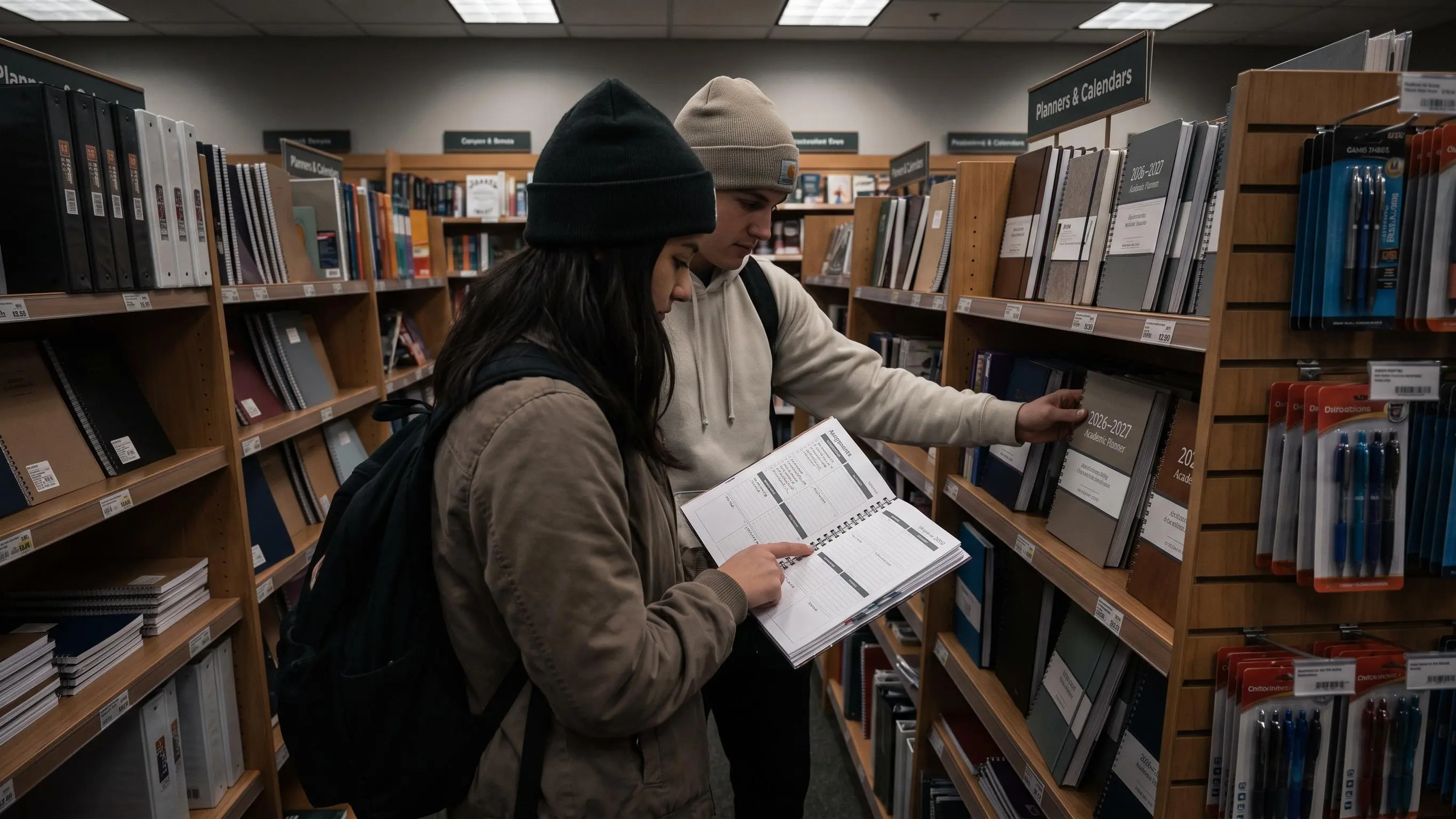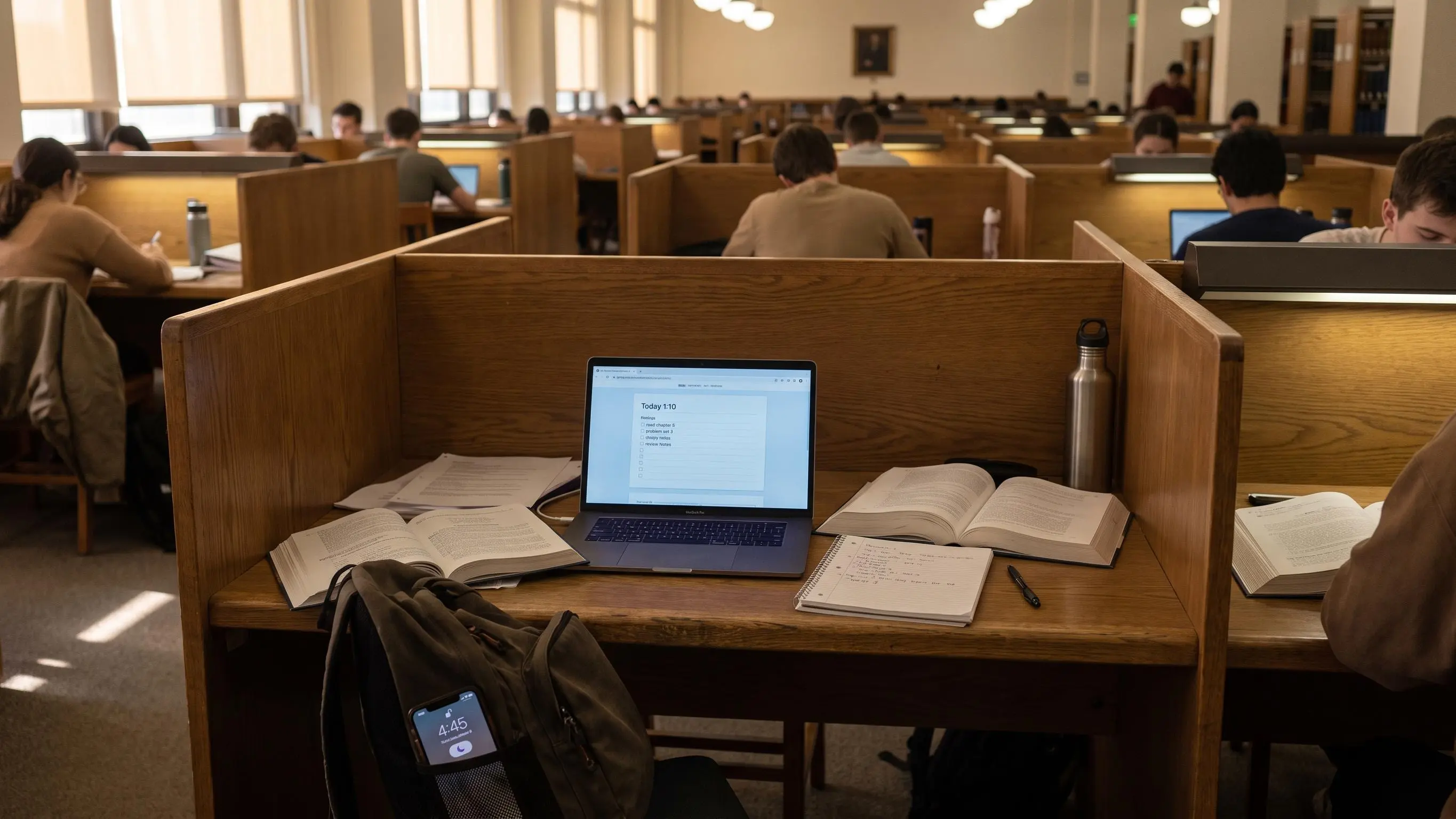

Picking a student focus app is harder than it should be. A timer may help you start, but it will not choose the right assignment, block the site that keeps pulling you away, or show whether your plan was realistic.
The best choice depends on where your study session breaks down. These eight apps are real, currently available tools with official product sites. We compared them by planning depth, focus method, distraction control, platform support, and how much setup they demand.
Show 5 more productsShow fewer products
1. Daily Planner
- One clear daily priority
- Pomodoro estimates tied to tasks
- Estimated versus actual time insights
- Works in a browser on phone or laptop
- Weekly and monthly progress reviews
- Free tier limits focus sessions
- Not a strict distraction blocker
- Muse support is useful only to a niche group
Daily Planner by Flocus is the best fit for students who need to decide what to do before they start a timer. It combines a deliberately short task list with one most-important task, Pomodoro estimates, weekly goals, and reviews based on completed work.
That planning-first approach matters. Many failed study sessions begin with a vague goal such as “work on chemistry.” Daily Planner pushes you to choose a concrete next action, estimate how many focus blocks it should take, and compare that estimate with reality afterward. Over time, the difference between planned and actual time becomes useful feedback rather than another reason to feel behind.
The app runs in a browser, so it works well for students who move between a laptop and phone. Flocus also offers optional Muse headband support for real-time flow-state tracking, but the core planner does not require extra hardware.
Choose Daily Planner if you want a calm daily method that joins planning and focus sessions. Choose a stricter blocker such as Freedom or Opal if your main problem is opening distracting apps after the session begins.
2. Forest
- Visible progress through growing trees
- App blocking included
- Focus statistics and scheduled controls
- Group focus sessions
- Useful free tier
- Limited assignment planning
- Gamification will not motivate everyone
- Advanced analytics require an upgrade
Forest is the strongest choice for students who respond to visible progress and light gamification. You plant a virtual tree when a focus session starts. The tree grows while you stay on task, and leaving for a blocked app can cause it to wither.
The idea is simple, but it gives a study block an immediate consequence. A completed session becomes part of a forest you can see growing over days and weeks. Forest also includes focus statistics, app blocking, scheduled screen-time controls, ambient sounds, and group sessions with friends.
Forest works especially well for exam revision, reading, and other sessions where the phone itself is the main distraction. Its rewards make repetition easier without turning the app into a complicated project manager.
It is less suitable if you need detailed assignment planning or calendar integration. Pair it with a planner if you have many deadlines, or choose Focus To-Do when you want tasks and Pomodoro sessions inside one system.
3. Focus To-Do
- Tasks and focus timer in one app
- Projects, subtasks, due dates, and reminders
- Daily, weekly, and monthly statistics
- Sync across mobile and desktop
- Good fit for coursework planning
- Busier than a minimalist timer
- Requires regular task maintenance
- Some features require payment
Focus To-Do combines a Pomodoro timer with task management, making it a practical all-in-one option for students who do not want separate timer and to-do apps.
You can organize work into projects, add due dates and reminders, break assignments into subtasks, estimate Pomodoros, and review time statistics by day, week, or month. It supports phones, tablets, desktop computers, Apple Watch, and a browser extension, with synchronization across devices.
The app is useful when a course has many small pieces of work. A student can create a project for each class, split an essay into research, outline, draft, and revision tasks, then run the timer from the same list.
Its interface contains more controls than a minimalist timer, and students who dislike maintaining task systems may find it busy. For a straightforward Pomodoro workflow with useful planning depth, however, it offers one of the most complete packages in this roundup.
4. Freedom

- Blocks apps, websites, or the internet
- Works across multiple device types
- Custom blocklists
- Recurring and locked sessions available
- Strong for habitual distractions
- Does not plan assignments
- Best scheduling controls require Premium
- Strict blocks need thoughtful setup
Freedom is best for students who already know what they need to do but cannot stop visiting distracting websites or apps. It blocks selected apps, websites, or even the entire internet across supported devices.
The important advantage is cross-device coverage. A block session can apply to a laptop and phone, closing the common loophole where a student blocks social media on one screen and immediately opens it on another. Custom blocklists let you keep research tools available while removing feeds, games, or messaging apps.
The free tier supports immediate block sessions and custom lists. Premium adds recurring schedules, advance scheduling, longer sessions, and Locked Mode for stronger commitment.
Freedom does not plan assignments or tell you what deserves attention first. It is a barrier, not a study planner. Use it when distraction is the bottleneck, and combine it with Daily Planner, Structured, or another task system when prioritization is the harder problem.
5. Opal
- Polished screen-time reporting
- Scheduled focus sessions
- App limits and distraction controls
- Makes phone habits easy to review
- Strong Apple-device experience
- Limited task-planning features
- Best features are paid
- Less suitable outside supported platforms
Opal is a polished screen-time and app-blocking tool for students who want to understand their phone habits as well as interrupt them. It focuses on reducing distracting app use through scheduled focus sessions, app limits, and usage insights.
The experience is more visual than a traditional blocker. Students can see how their screen time changes, create recurring focus routines, and make distracting apps harder to open during study hours. That combination is helpful when the problem is not one website but a repeated pattern of checking several apps throughout the day.
Opal is a good match for students who do most of their distraction management on Apple devices and want an interface that makes progress easy to review. Its strongest controls and insights sit behind paid plans, and it is not a replacement for assignment or project planning.
Choose Opal when phone habits are the main issue. Choose Freedom when you need broader blocking across several device types, or Forest when visible rewards motivate you more than screen-time reports.
6. Structured

- Tasks and events on one timeline
- Daily, weekly, and monthly views
- Calendar import
- Fast visual planning
- Access across mobile and web
- Not a strict blocker
- Less detailed focus analytics
- Timeline planning may feel rigid to some users
Structured is best for students who think in timelines. It combines tasks, calendar events, and routines into one visual daily schedule, helping you see when the work will actually happen rather than keeping it in a disconnected list.
That layout is useful when classes, appointments, travel, and study blocks compete for the same hours. You can import calendar events, add tasks quickly, plan across daily, weekly, and monthly views, and access the schedule on mobile, web, and supported wearable devices.
Structured is especially helpful for students who consistently underestimate transition time or overload the evening. Seeing every commitment on one timeline makes conflicts obvious before the day starts.
It is more of a planning app than a strict focus tool. If you want app blocking or detailed Pomodoro analytics, another option will fit better. If your biggest problem is turning a list of intentions into a believable day, Structured makes that conversion unusually clear.
7. Focusmate

- Scheduled social accountability
- Helps overcome task-initiation friction
- Works well for remote study
- Simple session structure
- Useful for postponed work
- Usually involves using a camera
- Sessions need to be booked
- Does not manage coursework or deadlines
Focusmate uses virtual body doubling: you book a focused work session with another person, state what you intend to complete, work quietly on camera, and check in at the end.
For students who struggle to begin alone, that small amount of social accountability can be more effective than another timer notification. The scheduled appointment creates a start time, while the presence of another person makes it harder to drift into unrelated browsing.
Focusmate works well for writing, problem sets, reading, and administrative tasks that have been postponed repeatedly. It is also useful for remote learners who miss the quiet accountability of a library or study room.
The tradeoff is that sessions require booking and usually involve a camera. Students who prefer complete privacy or spontaneous study may not enjoy that structure. Choose Focusmate when activation and accountability are the real problems, not when you mainly need task organization.
8. Session
- Clear intention before each session
- Blocks selected apps and websites
- Post-session reflection
- Progress history and analytics
- Sync across Mac, iPhone, and iPad
- Not available for Windows or Android
- Subscription pricing
- Limited task-management depth
Session is a focused Pomodoro app for Apple users who want distraction blocking and useful reflection without a large task-management system.
Before a session, you state what you are working on. During it, Session can block selected apps and websites. When the timer ends, it records the session and prompts you to review what you accomplished or learned. Progress syncs across Mac, iPhone, and iPad.
That short reflection step separates Session from bare countdown timers. A history of named sessions helps you see which subjects receive attention, how often work is interrupted, and whether your study rhythm is becoming more consistent.
Session is not the best option for Windows or Android users, and its subscription may feel excessive if all you want is a basic timer. It is a strong choice for students already using Apple devices who want a clean loop of intention, focus, and review.
How to Choose the Right Student Focus App
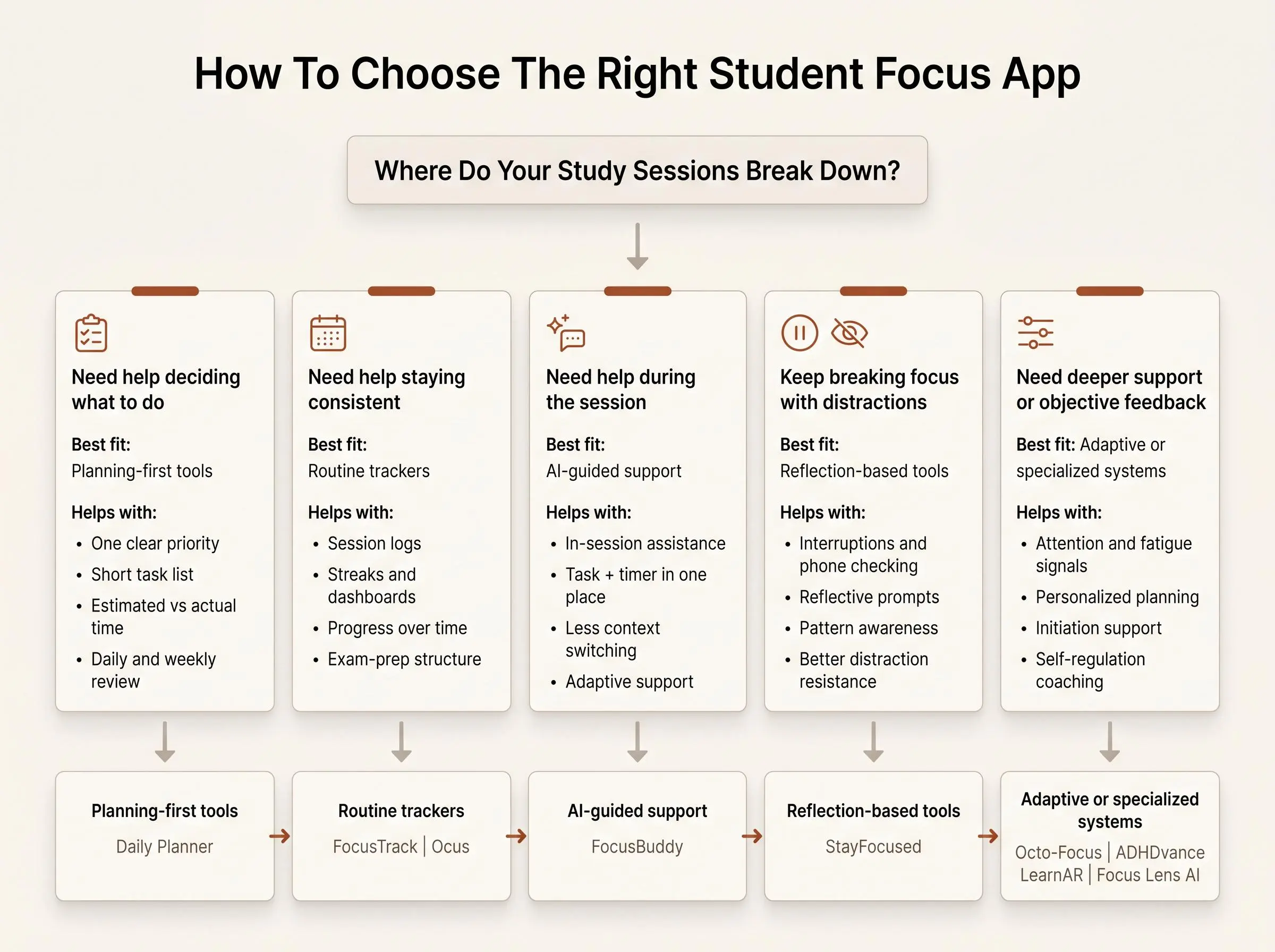
Start with the moment your study session usually fails.
If you sit down but cannot decide what matters, choose a planning-first tool. Daily Planner gives you a short daily method, while Structured is better when you need to place tasks around classes and appointments.
If you know the task but keep reaching for your phone, choose a blocker. Forest adds visible rewards, Freedom applies strong rules across devices, and Opal emphasizes phone habits and screen-time insights.
If you want tasks and a timer together, Focus To-Do is the clearest all-in-one option. If starting alone is the hard part, Focusmate adds human accountability. If you want a clean Apple-based Pomodoro workflow with reflection, Session is the better fit.
Do not choose by feature count. A complicated system you avoid opening is less useful than a simple tool that solves your actual bottleneck.
What Matters More Than a Timer
A focus timer works best when the work is defined before the countdown begins. “Study biology” leaves too many decisions unresolved. “Review lecture 6 notes and answer questions 1 through 10” gives the session a finish line.
Estimate the work in realistic blocks, then compare the estimate with what happened. If every assignment takes twice as long as planned, the lesson is not that you failed. The estimate needs to change.
Your environment matters too. Put the phone out of reach or use a blocker when the temptation is predictable. Schedule the session when your energy is usually strongest. End with a one-minute review so the next session starts with a clear step.
The app should support that loop: decide, protect the time, work, and review. It should not become another dashboard that consumes the time it was meant to save.
Which App Fits Your Study Style?
Choose Daily Planner for calm daily prioritization and Pomodoro estimates. Choose Forest for a motivating timer that makes progress visible. Choose Focus To-Do for task lists and Pomodoro sessions in one app.
Choose Freedom for firm cross-device distraction blocking, or Opal for screen-time awareness and scheduled phone controls. Choose Structured when a visual timeline helps you build a realistic day.
Choose Focusmate when another person’s presence helps you begin. Choose Session when you want a focused timer, app blocking, and post-session reflection across Apple devices.
Test one option for a week using real coursework. Notice whether it reduces the exact friction that made you look for a focus app in the first place.
How We Evaluated These Tools
We evaluated these student focus apps by comparing the study problems they are designed to address and the features described for each tool. The main criteria were:
- Planning support: Whether the app helps students define tasks, prioritize work, estimate focus blocks, or build a realistic schedule.
- Focus-session features: The usefulness of timers, Pomodoro workflows, progress tracking, and post-session reflection.
- Distraction control: The scope of app, website, screen-time, and cross-device blocking options.
- Accountability and motivation: Whether the tool uses visible progress, rewards, scheduled sessions, or social accountability to support follow-through.
- Platform fit: Supported devices and how well each app suits students who study across phones, computers, tablets, or Apple devices.
- Tradeoffs and ease of fit: The complexity, privacy requirements, paid-feature limitations, and situations where another type of tool may be more appropriate.
The rankings reflect how well each app matches common student bottlenecks, including unclear priorities, phone distraction, crowded schedules, difficulty starting, and the need for a repeatable study routine. We weighed each tool's strengths against its limitations rather than treating the largest feature list as the deciding factor.
Frequently Asked Questions About Student Focus Apps
What is the best student focus app for planning study sessions?
Daily Planner is a strong fit if you need to prioritize tasks, choose a concrete next action, estimate Pomodoro blocks, and review completed work. Structured is better when you need to place study tasks around classes, appointments, and other commitments.
Which student focus app is best for blocking distractions?
Choose Forest if visible progress and light gamification motivate you. Freedom is better for broader cross-device blocking, while Opal focuses on phone habits, scheduled focus sessions, app limits, and usage insights.
Which app combines task management with a Pomodoro timer?
Focus To-Do combines projects, due dates, reminders, subtasks, Pomodoro estimates, and time statistics in one system. It is useful for students who want to manage assignments and run focus sessions from the same task list.
Which focus app is best for students who struggle to start alone?
Focusmate adds virtual body doubling and social accountability. You book a session, state what you intend to complete, work quietly on camera, and check in at the end.
Which student focus app is best for Apple users who want reflection?
Session is designed for Apple users who want a focused Pomodoro workflow with app and website blocking, named session history, and a short review of what they accomplished or learned. It syncs across Mac, iPhone, and iPad.
Conclusion
The best student focus app is the one that fixes your failure point. Planning problems need clearer priorities. Distraction problems need stronger boundaries. Starting problems may need accountability. Inconsistent study habits need a loop you can repeat without much effort.
Daily Planner offers the most balanced planning-first approach. Forest and Focus To-Do are strong Pomodoro choices, while Freedom and Opal provide stricter distraction control. Structured turns a crowded schedule into a visual plan, Focusmate supplies human accountability, and Session offers a clean intention-to-review workflow.
Pick the tool that matches your bottleneck, use it for several genuine study sessions, and keep it only if the work becomes easier to start and finish.
Article Record
ReferencesPrimary sources used for this article
- Flocus | Your Aesthetic Productivity Dashboard
- Stay Focused - Site & App Block
- FocusLens - 3 Hours at Desk, Only 45 Minutes Focused?
- FocusTrack - Student Focus & Technology Distraction Management System
- FocusBuddy - Apps on Google Play
- DailyPlanner App - Apps on Google Play
- Flocus | Flocus Plus
- IJMHP | Scrolling Less, Learning More: Nudging Strategies to Reclaim Students’ Attention from Social Media Distractions in the Age of TikTok: A Scoping Review
- StayFocused: Examining the Effects of Reflective Prompts and Chatbot Support on Compulsive Smartphone Use
- A user-centred approach to enhancing engagement and task management for ADHD students using AR and generative AI | Discover Education | Springer Nature Link
Update HistoryMeaningful revisions to this article
- Added a five-question FAQ section to help students find answers about choosing and using focus apps.
- Added an evaluation section explaining how the featured apps were assessed.
- Added a comparison table to help students quickly find the app that best fits their study style.
- Replaced the research-paper entries with eight verified focus apps to give students more reliable study-session options.
- Updated the app roundup with official links and calls to action, making it easier for readers to explore each product.
- Refreshed the review cards to provide a clearer, more consistent comparison of the recommended apps.